
- Posts: 61
Joomdle 1.0 Installation
Problem getting Moodle & Joomdle talking with each other?
- paurray
-
 Topic Author
- Offline
- Senior Member
-

Less
More
10 years 2 months ago #1
by paurray
Problem getting Moodle & Joomdle talking with each other? was created by paurray
Hello Joomdle
I have Moodle set up here:
www.finalbug.net/moodle/
And joomdle set up here:
www.finalbug.net/administrator/index.php?option=com_joomdle
The system check:
www.finalbug.net/administrator/index.php...m_joomdle&view=check
Is saying:
Moodle to Joomla HTTP connectivity: Moodle cannot connect to Joomla
Moodle to Joomla HTTP connectivity: Received empty response from Moodle
I have followed the installation documentation.
Double Checked it.
And gone through the trouble shooting but I still have no clue what is going wrong.
www.joomdle.com/wiki/System_health_check...uth_plugin_in_Moodle
Please see screen shots for what I believe to be the relevant trouble shooting points for my site.
The screen shots refer to points: 1.1, 1.2, 1.5,1.8.1, 1.8.2, 1.8,4, 1.8.5, 1.8.6, and 1.8.7.
With respect to 1.8.7
www.finalbug.net/index.php?option=com_jo...server&format=xmlrpc
Gives me:
XML-RPC Error (1): Invalid token:
I asked my hoster (SiteGround who are in all fairness usuall very good about stuff like this) about this and they responded as follows:
*********************************************************************************************************
Hello Paul,
We checked the issue but unfortunately we do not see any errors or other entries in our logs to determine what might be causing this error nor the documentation is providing any relevant information to help us troubleshoot this error message.
Although our goals are to provide a high quality hosting environment for websites, our Technical Support Team is specialized in providing assistance in case your script is not accessible due to a problem with your host server or a vital service running on it. Third-party website-related problems such as this are beyond the scope of our expertise.
*********************************************************************************************************
further I asked them about the other 2 last points in the trouble shooting list:
*********************************************************************************************************
The two errors do not apply in your case. The Source IP not allowed will show in case your IP address (in this case the account's IP address) is restricted however the communications is internal on the server and this error is unlikely to be the root cause as the request reaches Moodle Successfully. The second error 'E_DEPRECATED errors are enabled in your PHP configuration' are referring to PHP error log and displaying errors in the browser. However in your case there are no such errors in the browser, so this is not causing it either. You can try to disable the WWW redirect for your website temporary by editing the lines below in your .htaccess, you should add # in front of them to comment them: Code:
##### Redirect non-www to www -- BEGIN
RewriteCond %{HTTP_HOST} !^www\. [NC]
RewriteRule ^(.*)$ http://www.%{HTTP_HOST}/$1 [R=301,L]
##### Redirect non-www to www -- END
and test if the result will be the same for the URL below:
finalbug.net/index.php?option=com_joomdl...server&format=xmlrpc
Unfortunately I am currently blocked by a firewall or other security plugin and I am not able to test it. You can also try disabling this module as well in case it is restricting or overwriting the request.
In case the issue still persist I would suggest opening a new thread on the forum below, as the developer of the module can is most familiar with it and can provide further insight regarding this issue:
www.joomdle.com/forum/index
*********************************************************************************************************
I could really do with some assistance on this.
I am very eager to buy a subscription and hook this up with Easy Social but need to get the basics working first.
If somebody sees something that I am missing or has some tips I am all ears!
thanks in advance
Paul
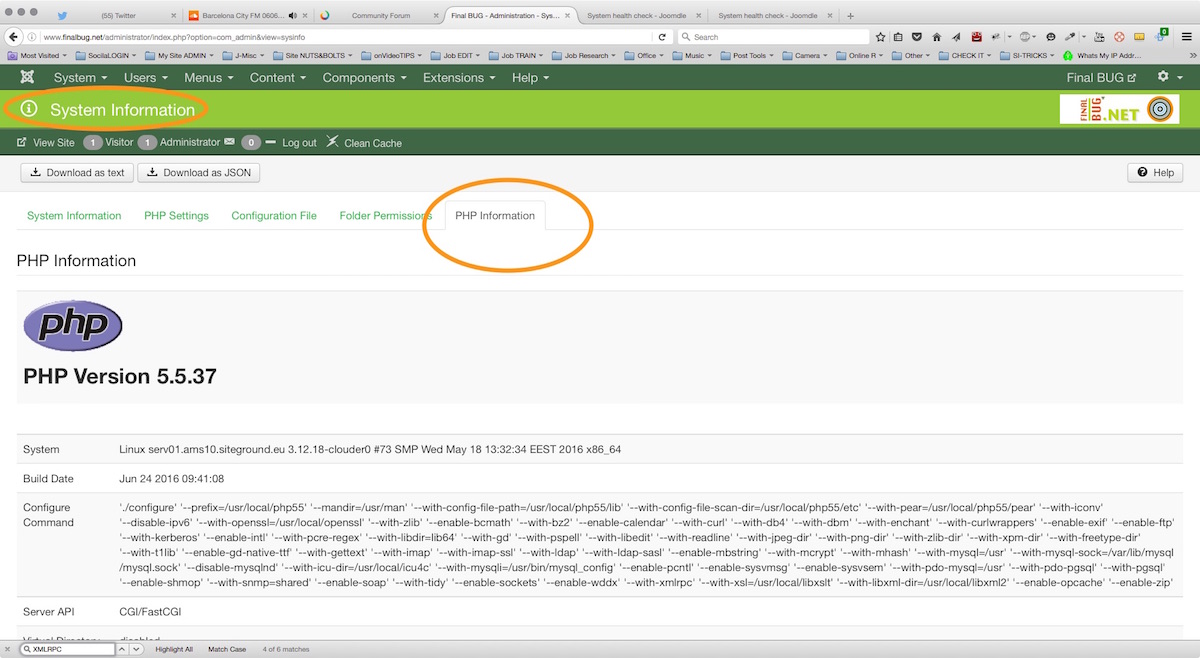
Checking PHP settings in Joomla Here!
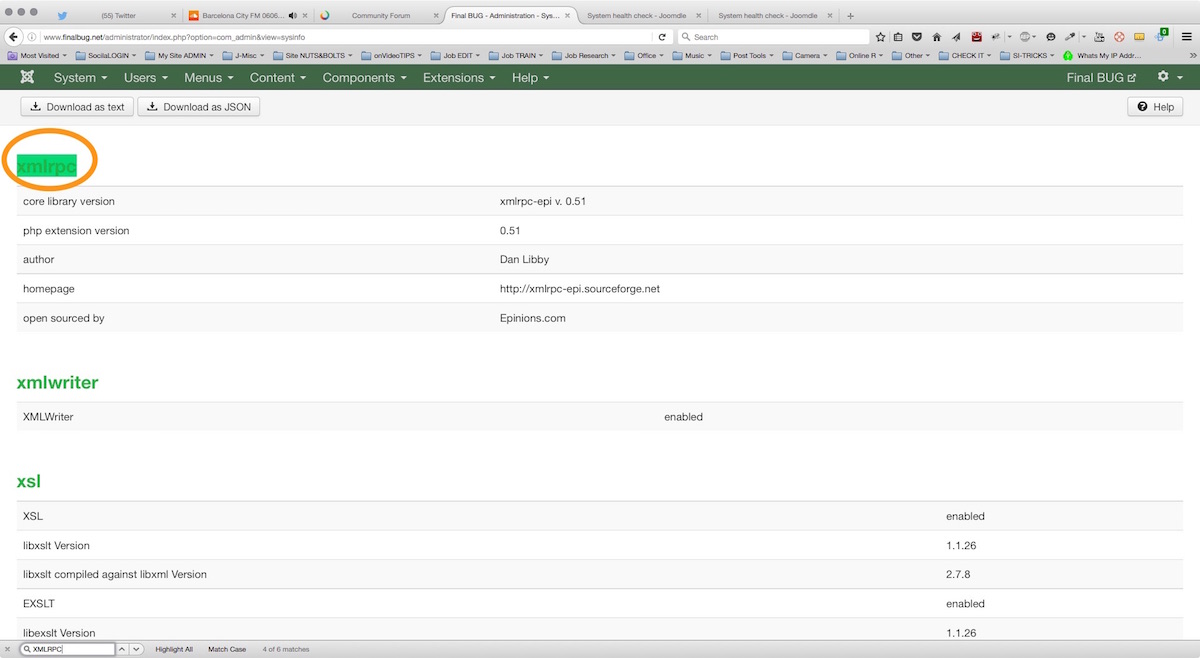
I go down here and they appear to be switched on
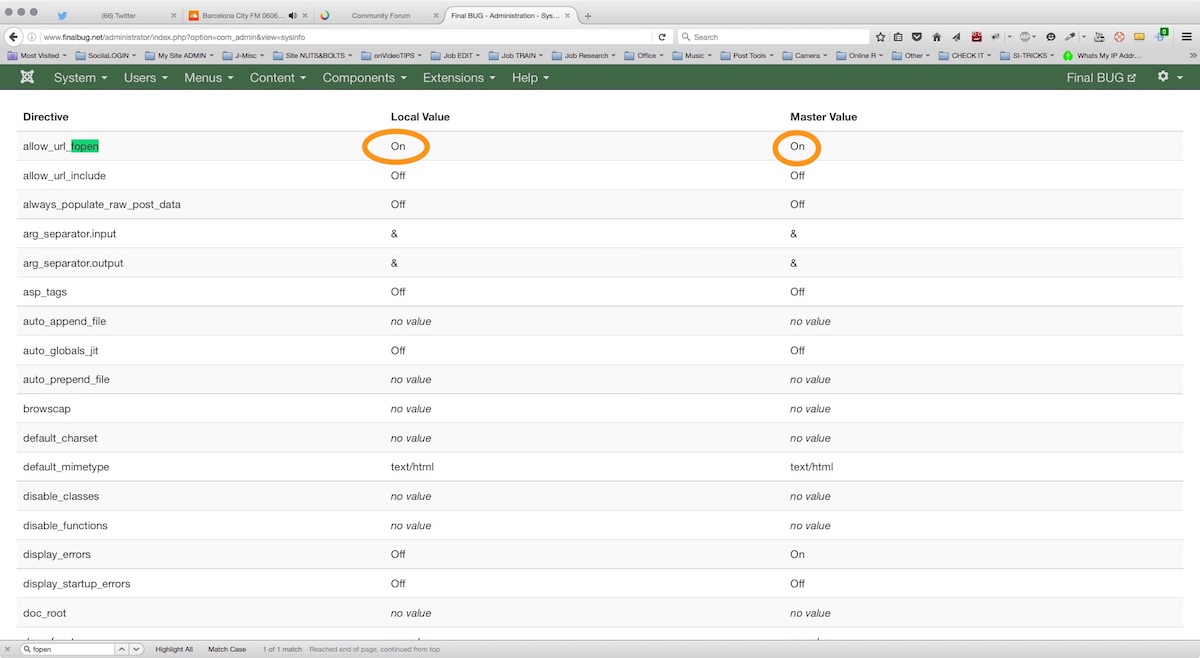
Also in the PHP setting I check URL_fOpen is on.
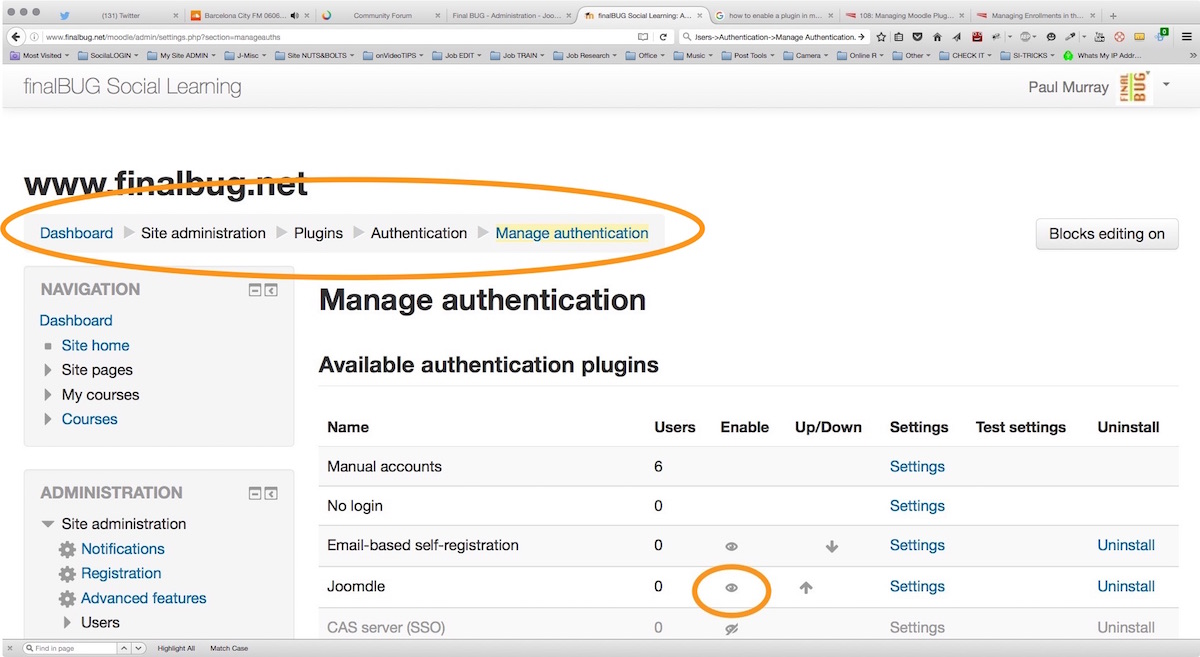
In the Joomla Plugins Section I check that Joomdle hooks are switched on....
I have Moodle set up here:
www.finalbug.net/moodle/
And joomdle set up here:
www.finalbug.net/administrator/index.php?option=com_joomdle
The system check:
www.finalbug.net/administrator/index.php...m_joomdle&view=check
Is saying:
Moodle to Joomla HTTP connectivity: Moodle cannot connect to Joomla
Moodle to Joomla HTTP connectivity: Received empty response from Moodle
I have followed the installation documentation.
Double Checked it.
And gone through the trouble shooting but I still have no clue what is going wrong.
www.joomdle.com/wiki/System_health_check...uth_plugin_in_Moodle
Please see screen shots for what I believe to be the relevant trouble shooting points for my site.
The screen shots refer to points: 1.1, 1.2, 1.5,1.8.1, 1.8.2, 1.8,4, 1.8.5, 1.8.6, and 1.8.7.
With respect to 1.8.7
www.finalbug.net/index.php?option=com_jo...server&format=xmlrpc
Gives me:
XML-RPC Error (1): Invalid token:
I asked my hoster (SiteGround who are in all fairness usuall very good about stuff like this) about this and they responded as follows:
*********************************************************************************************************
Hello Paul,
We checked the issue but unfortunately we do not see any errors or other entries in our logs to determine what might be causing this error nor the documentation is providing any relevant information to help us troubleshoot this error message.
Although our goals are to provide a high quality hosting environment for websites, our Technical Support Team is specialized in providing assistance in case your script is not accessible due to a problem with your host server or a vital service running on it. Third-party website-related problems such as this are beyond the scope of our expertise.
*********************************************************************************************************
further I asked them about the other 2 last points in the trouble shooting list:
*********************************************************************************************************
The two errors do not apply in your case. The Source IP not allowed will show in case your IP address (in this case the account's IP address) is restricted however the communications is internal on the server and this error is unlikely to be the root cause as the request reaches Moodle Successfully. The second error 'E_DEPRECATED errors are enabled in your PHP configuration' are referring to PHP error log and displaying errors in the browser. However in your case there are no such errors in the browser, so this is not causing it either. You can try to disable the WWW redirect for your website temporary by editing the lines below in your .htaccess, you should add # in front of them to comment them: Code:
##### Redirect non-www to www -- BEGIN
RewriteCond %{HTTP_HOST} !^www\. [NC]
RewriteRule ^(.*)$ http://www.%{HTTP_HOST}/$1 [R=301,L]
##### Redirect non-www to www -- END
and test if the result will be the same for the URL below:
finalbug.net/index.php?option=com_joomdl...server&format=xmlrpc
Unfortunately I am currently blocked by a firewall or other security plugin and I am not able to test it. You can also try disabling this module as well in case it is restricting or overwriting the request.
In case the issue still persist I would suggest opening a new thread on the forum below, as the developer of the module can is most familiar with it and can provide further insight regarding this issue:
www.joomdle.com/forum/index
*********************************************************************************************************
I could really do with some assistance on this.
I am very eager to buy a subscription and hook this up with Easy Social but need to get the basics working first.
If somebody sees something that I am missing or has some tips I am all ears!
thanks in advance
Paul
Checking PHP settings in Joomla Here!
I go down here and they appear to be switched on
Also in the PHP setting I check URL_fOpen is on.
In the Joomla Plugins Section I check that Joomdle hooks are switched on....
Please Log in or Create an account to join the conversation.
- paurray
-
Topic Author
- Offline
- Senior Member
-
Less
More
- Posts: 61
10 years 2 months ago #2
by paurray
Replied by paurray on topic Problem getting Moodle & Joomdle talking with each other?
Please note that the last screen shot in the previous part of this thread is meant to come later.
I can not reedit above as there is an error message referring to, too many links.
Continuing in the correct order:
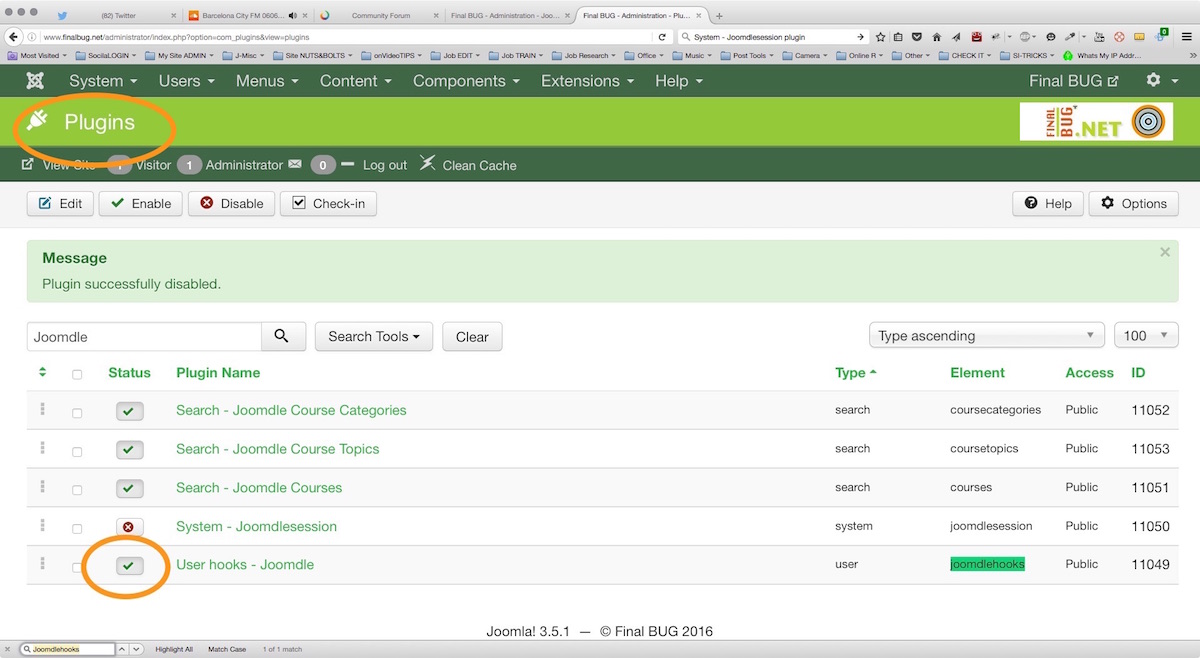
In the Joomla Plugins Section I check that Joomdle hooks are switched on....
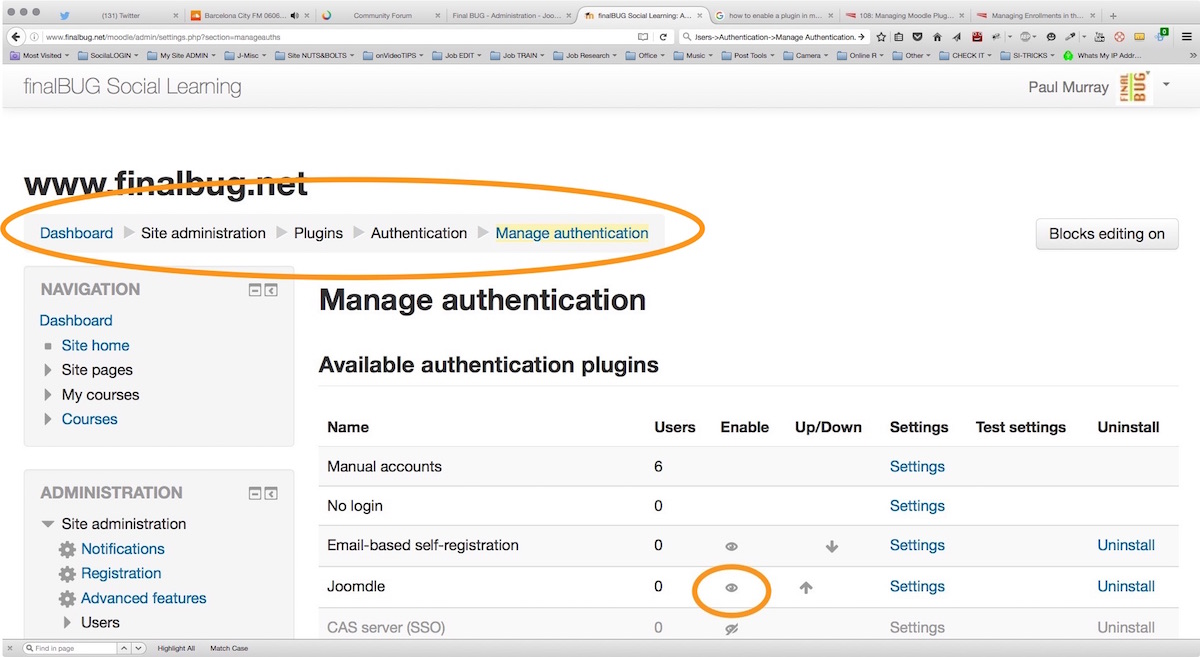
In the Moodle insalation I check the Joomdle plugin
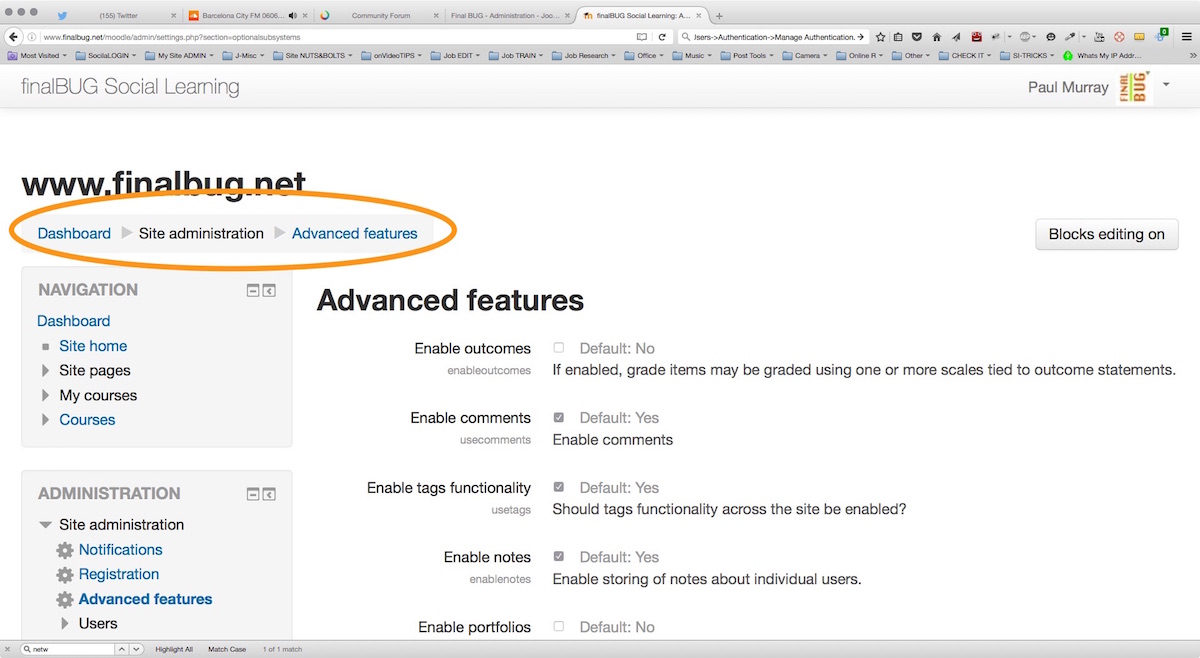
Next I check that the networking is set up OK. I go here.
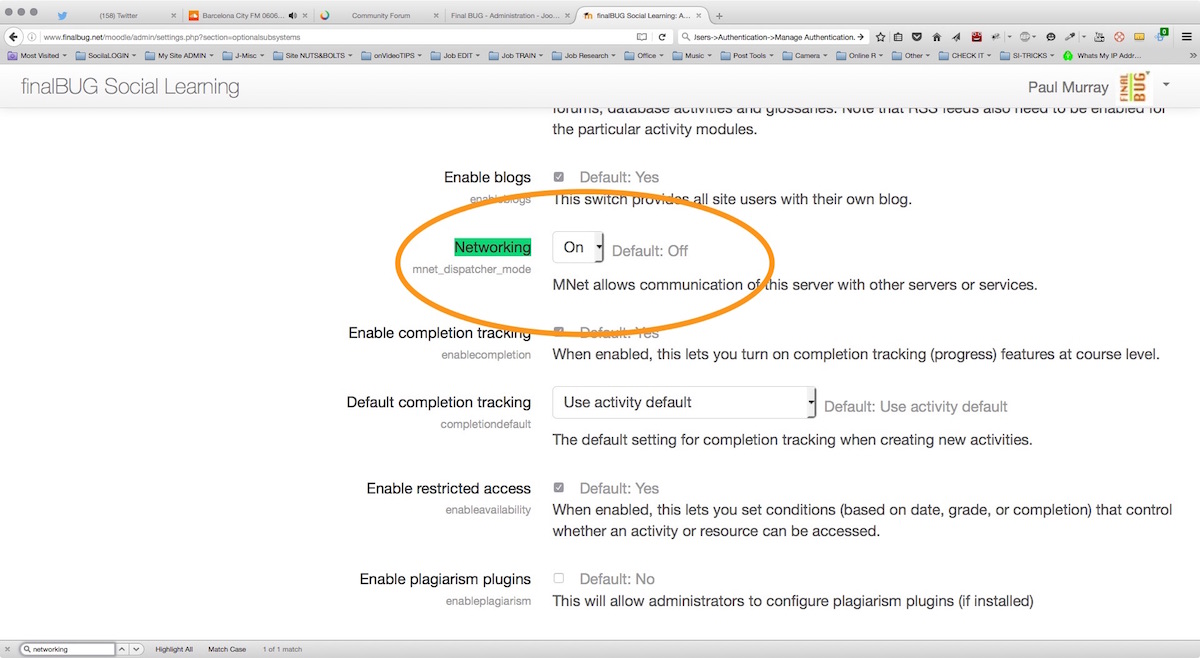
And this is the Networking setting that I am switching on...
I can not reedit above as there is an error message referring to, too many links.
Continuing in the correct order:
In the Joomla Plugins Section I check that Joomdle hooks are switched on....
In the Moodle insalation I check the Joomdle plugin
Next I check that the networking is set up OK. I go here.
And this is the Networking setting that I am switching on...
Please Log in or Create an account to join the conversation.
- paurray
-
Topic Author
- Offline
- Senior Member
-
Less
More
- Posts: 61
10 years 2 months ago #3
by paurray
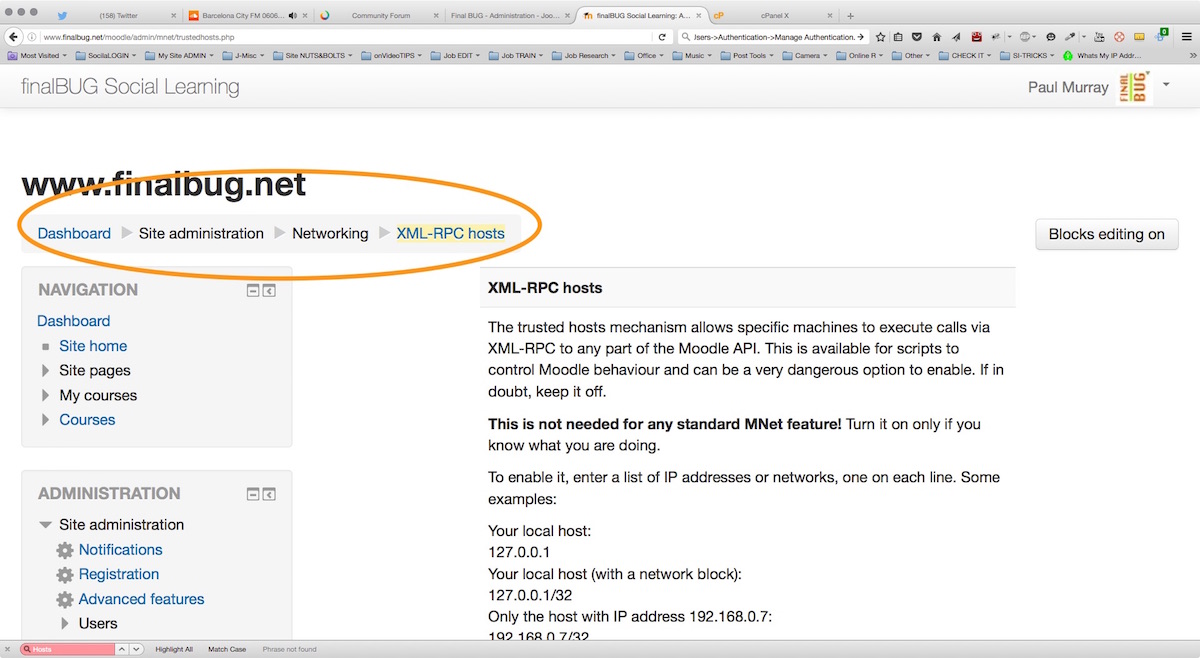
With respect to XML-RPC I first go here.
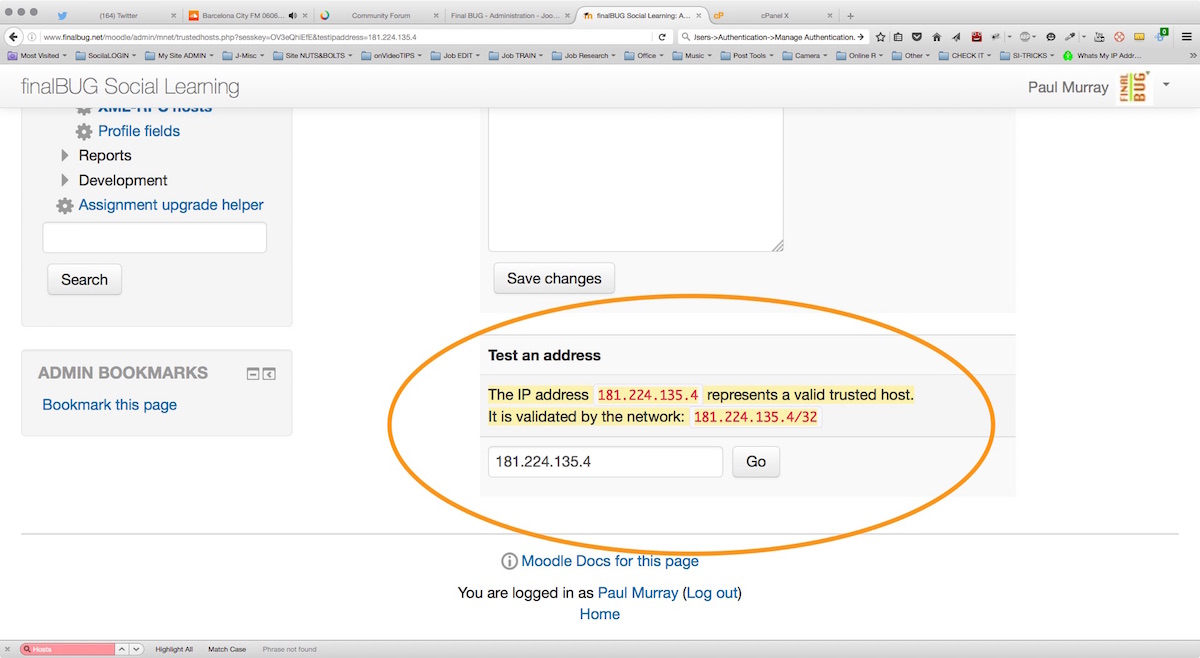
Test my sites IP address.
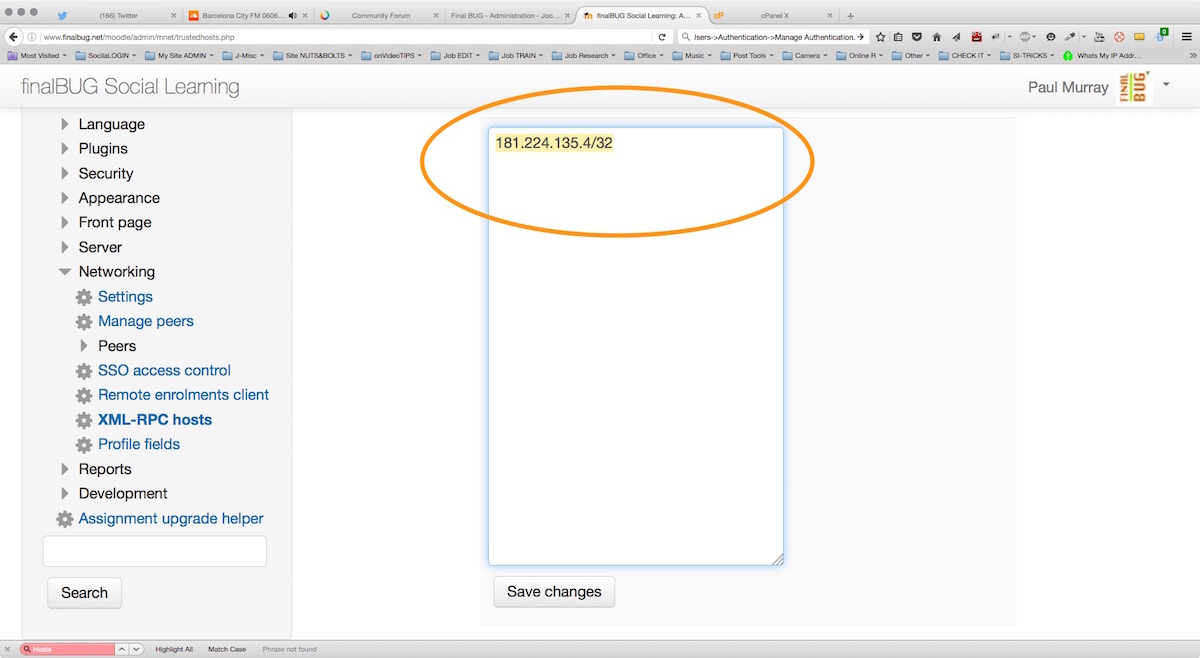
Enter it and save it.
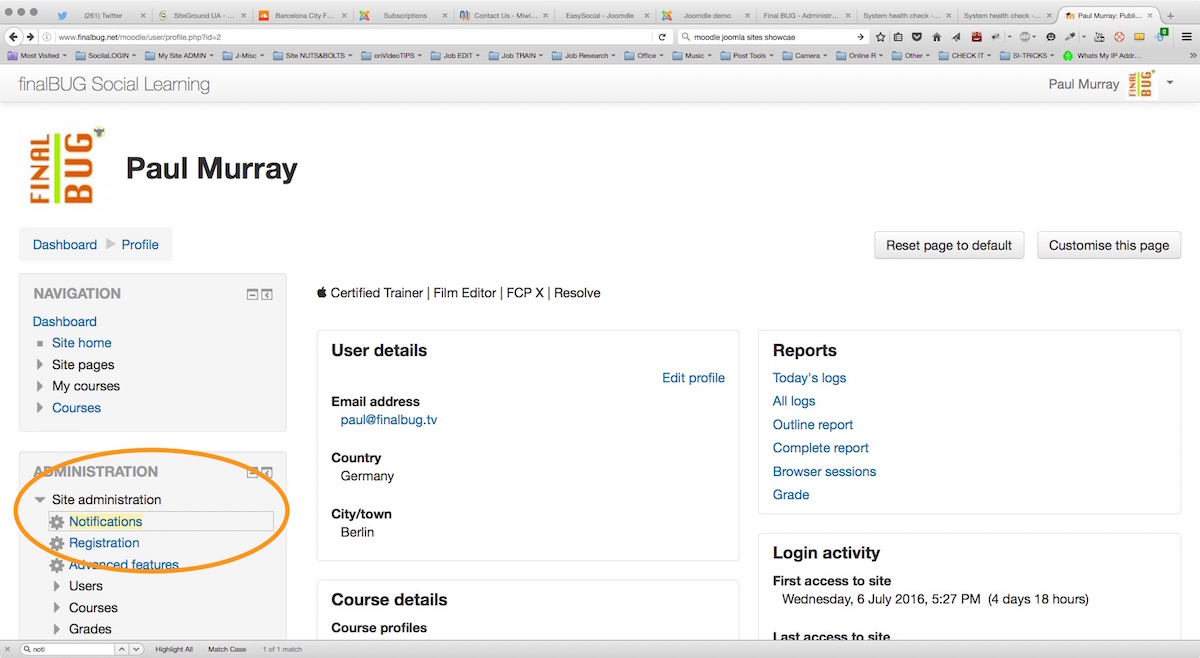
In the Notifications section here.
Replied by paurray on topic Problem getting Moodle & Joomdle talking with each other?
With respect to XML-RPC I first go here.
Test my sites IP address.
Enter it and save it.
In the Notifications section here.
Please Log in or Create an account to join the conversation.
- paurray
-
Topic Author
- Offline
- Senior Member
-
Less
More
- Posts: 61
10 years 2 months ago #4
by paurray
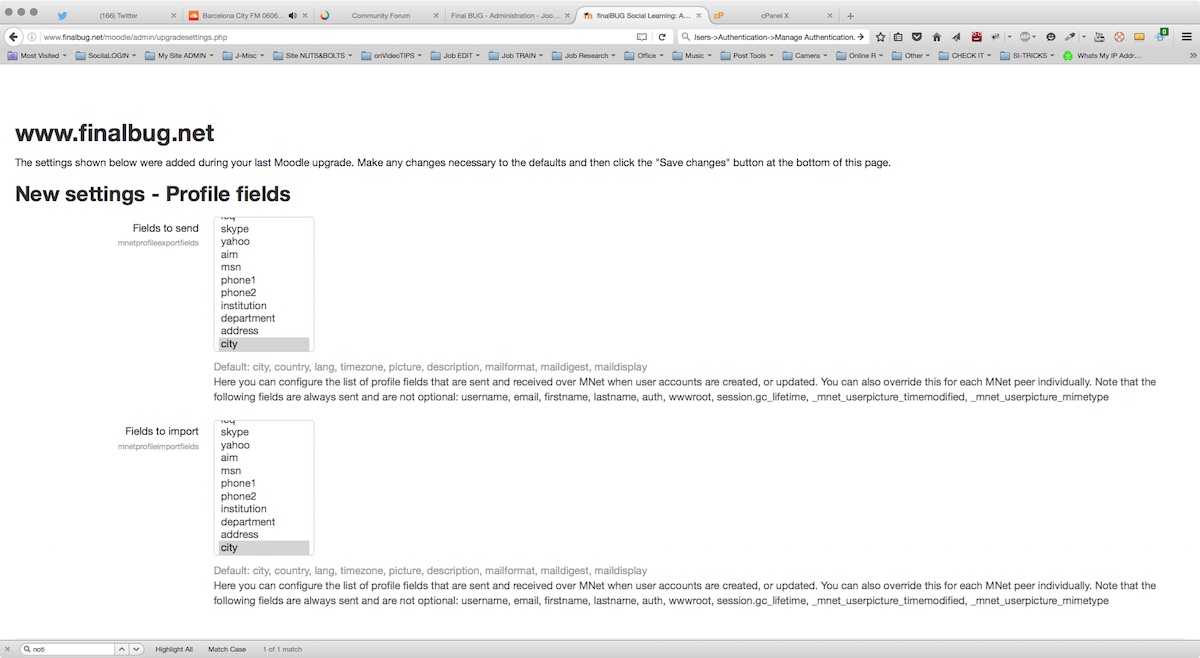
I am not seeing any error messages.
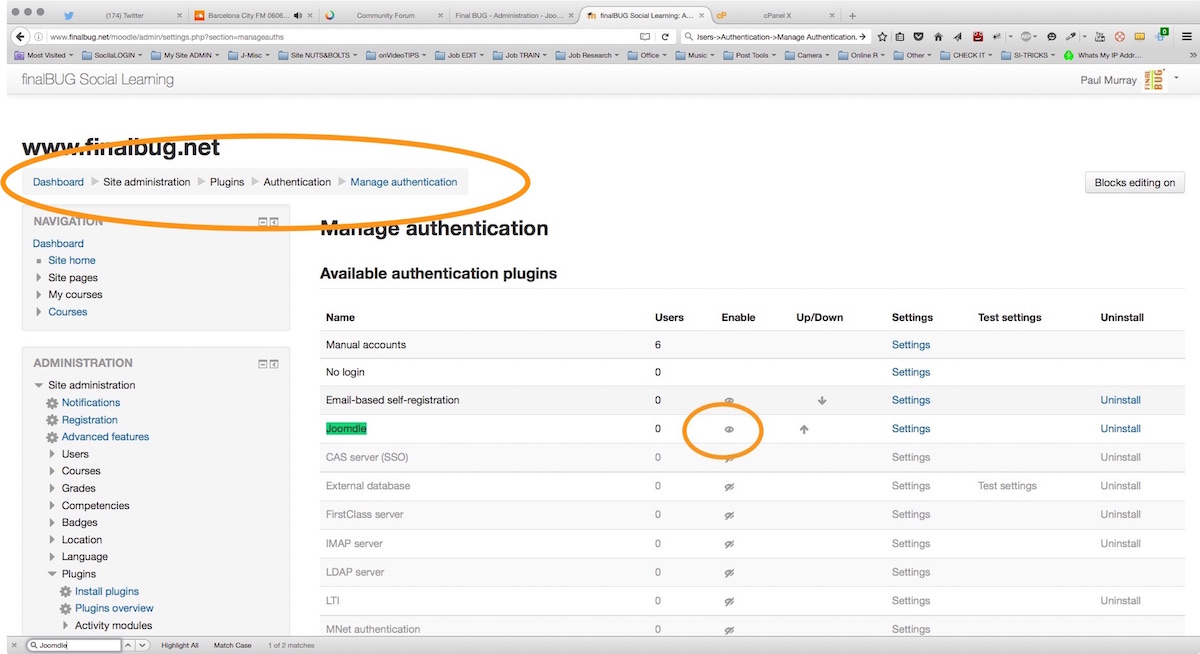
Joomdle authentication seems to be OK.
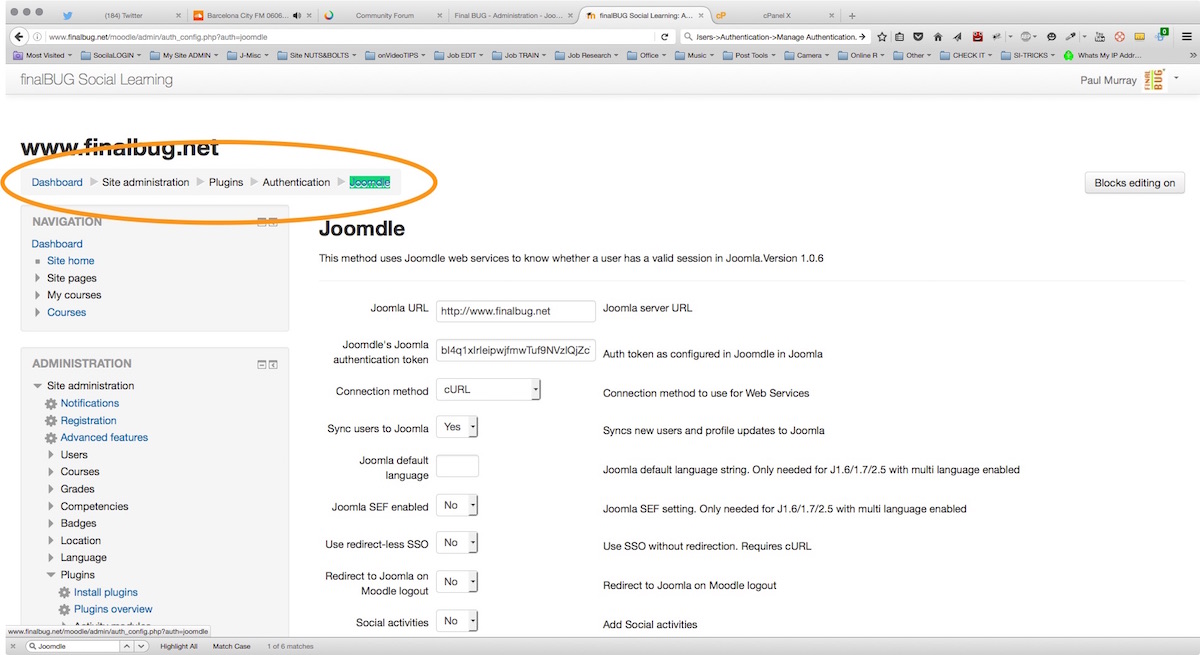
And note that the URL appear s to be correct.
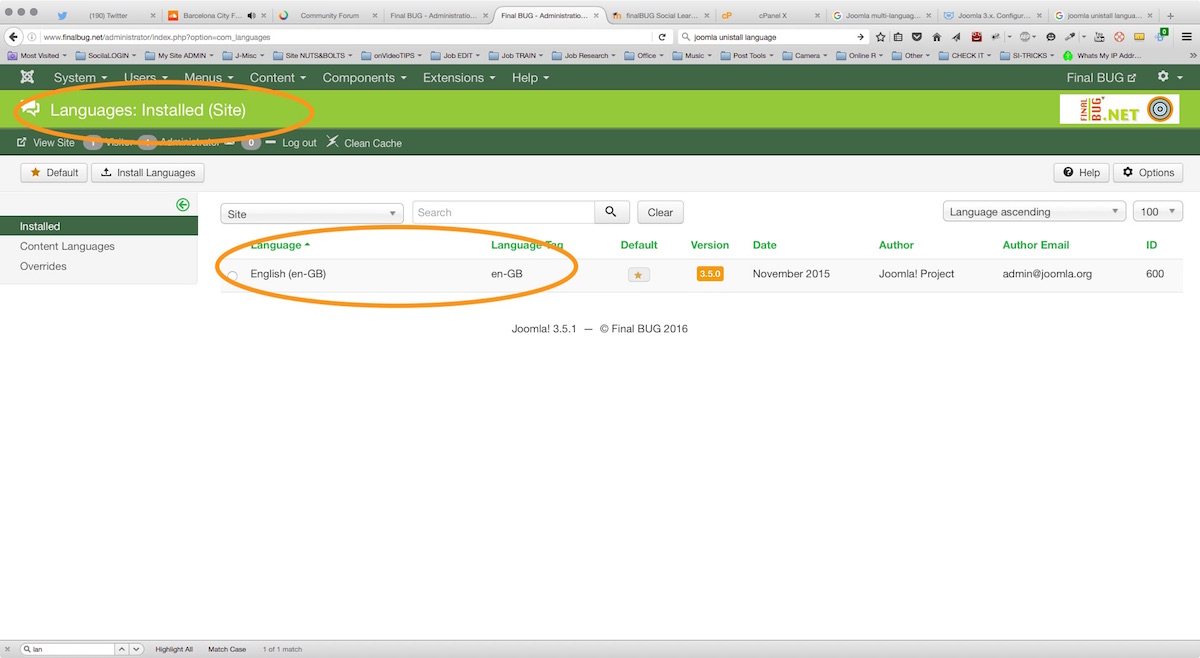
Languages (eng) appear to be the same at both the Joomla end...
Replied by paurray on topic Problem getting Moodle & Joomdle talking with each other?
I am not seeing any error messages.
Joomdle authentication seems to be OK.
And note that the URL appear s to be correct.
Languages (eng) appear to be the same at both the Joomla end...
Please Log in or Create an account to join the conversation.
- paurray
-
Topic Author
- Offline
- Senior Member
-
Less
More
- Posts: 61
10 years 2 months ago #5
by paurray
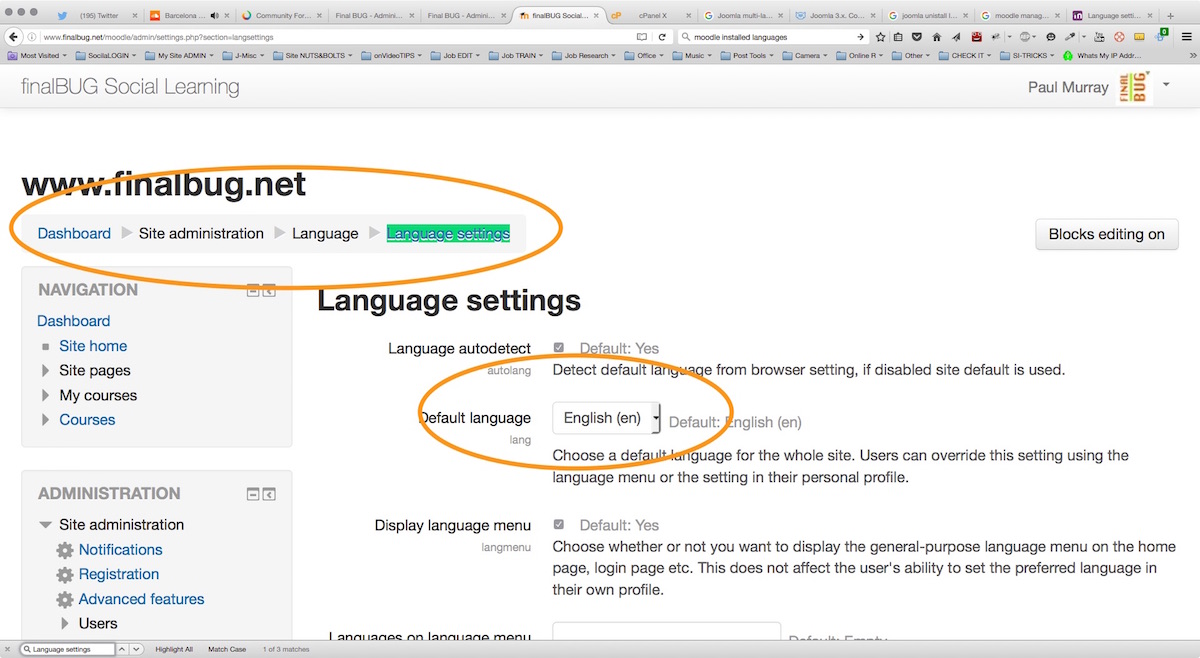
...and last but by no means least at the Moodle end ENG is also selected!
Sorry that this ended up being so long winded but as I say I really want to get this is work.
thanks in advance
Paul
Replied by paurray on topic Problem getting Moodle & Joomdle talking with each other?
...and last but by no means least at the Moodle end ENG is also selected!
Sorry that this ended up being so long winded but as I say I really want to get this is work.
thanks in advance
Paul
Please Log in or Create an account to join the conversation.
- Chris
-

- Offline
- Moderator
-

10 years 2 months ago #6
by Chris
Replied by Chris on topic Problem getting Moodle & Joomdle talking with each other?
Hi Paul
Thanks for all the details. In the first post it takes Invalid Token. Thus I would check the Moodle token you entered into Joomla (Joomdle) and the Joomla token you entered into Moodle (Joomdle). More likely the first one. Make sure the tokens entered are correct and the moodle user & roles have the tokens assigned.
Thanks for all the details. In the first post it takes Invalid Token. Thus I would check the Moodle token you entered into Joomla (Joomdle) and the Joomla token you entered into Moodle (Joomdle). More likely the first one. Make sure the tokens entered are correct and the moodle user & roles have the tokens assigned.
Please Log in or Create an account to join the conversation.
- paurray
-
Topic Author
- Offline
- Senior Member
-
Less
More
- Posts: 61
10 years 1 month ago #7
by paurray
Replied by paurray on topic Problem getting Moodle & Joomdle talking with each other?
Hi Chris
Thanks for your response.
I have taken your advice and checked every thing again.
I might have found something and have started a new topic.
www.joomdle.com/forum/installation/11887...-required-capability
If you have any ideas I am all ears
thanks
Paul
Thanks for your response.
I have taken your advice and checked every thing again.
I might have found something and have started a new topic.
www.joomdle.com/forum/installation/11887...-required-capability
If you have any ideas I am all ears
thanks
Paul
Please Log in or Create an account to join the conversation.