
- Posts: 23
Feature Requests
Please do NOT use this section of the forum to request help if Joomdle does not work for you in some particular way. Your post will be deleted.
Please do NOT use this section of the forum to request help if Joomdle does not work for you in some particular way. Your post will be deleted.
[Closed] set the page where courses should be view
- Jérémie
- Topic Author
- Offline
- Junior Member
-

Less
More
13 years 4 months ago - 11 years 5 months ago #1
by Jérémie
[Closed] set the page where courses should be view was created by Jérémie
Hi,
Is there a way to configure joomdle to show courses at a specific place in Joomla?
The aim is to provide specific user experience for several corporate Customers.
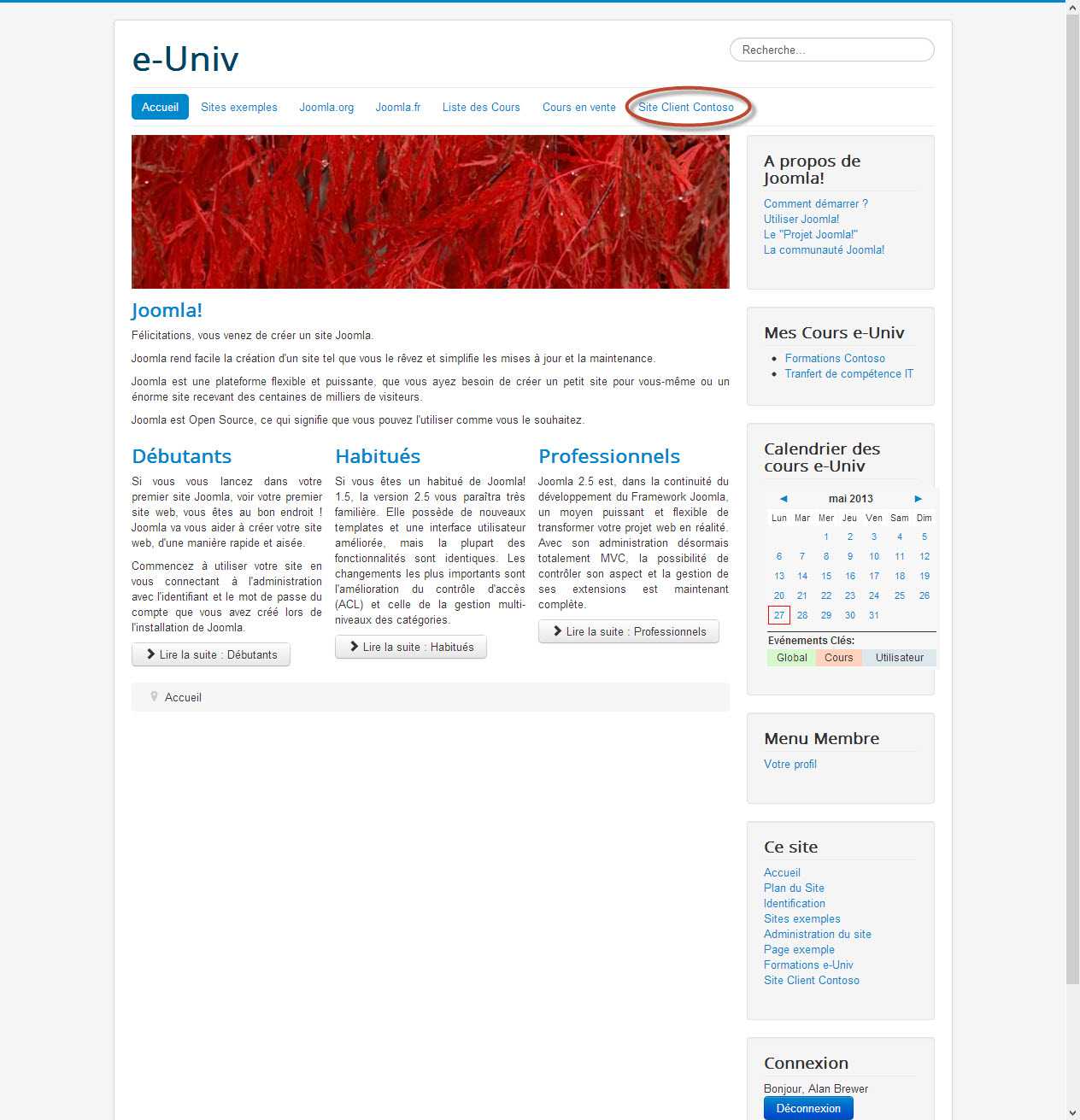
User from my Contoso corporate customer use my e-Univ portal and they have a dedicated place where they can access their own contents and courses through a link:
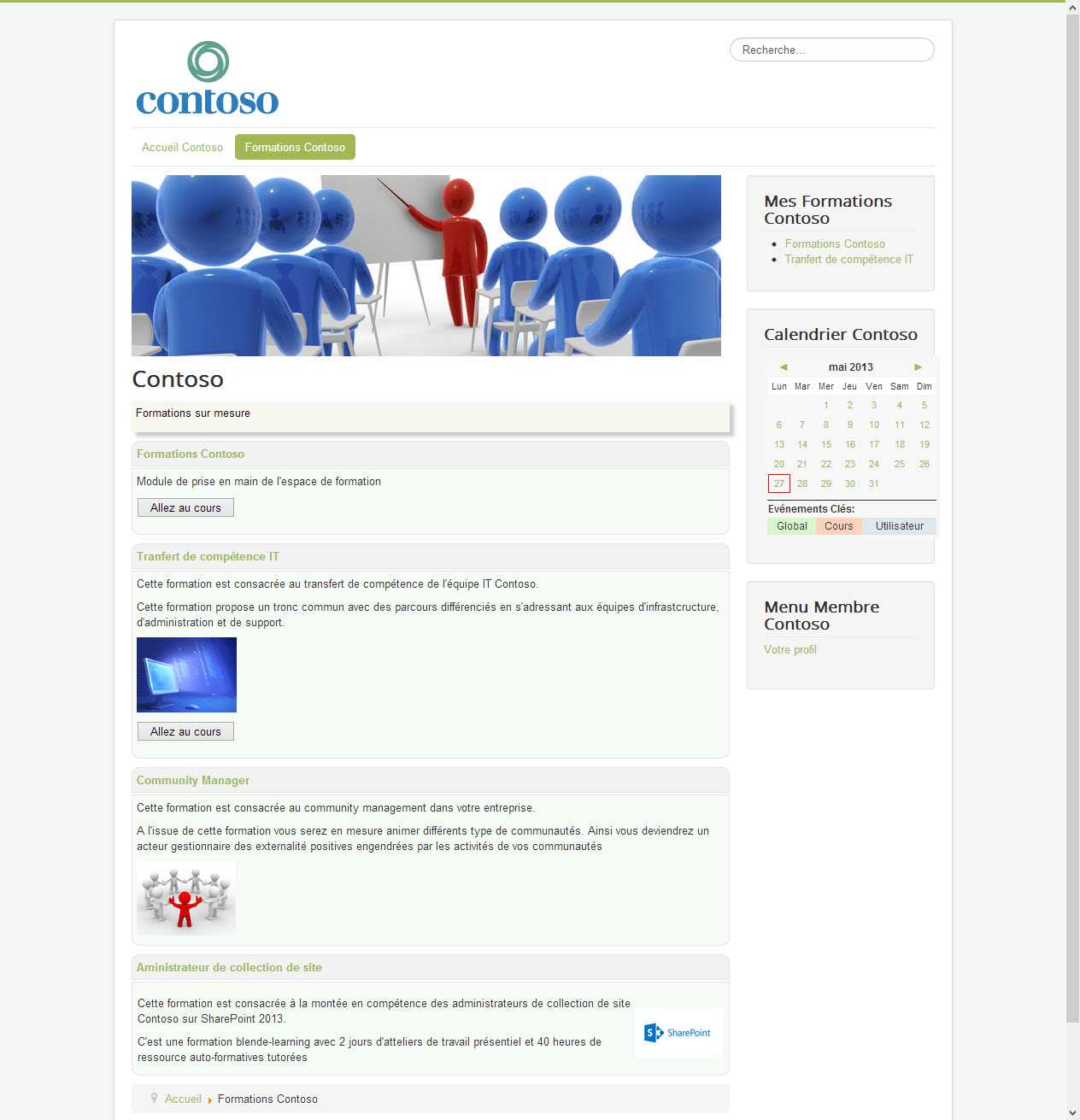
They access their own content and their courses through joomdle mdules in there own gui branding:
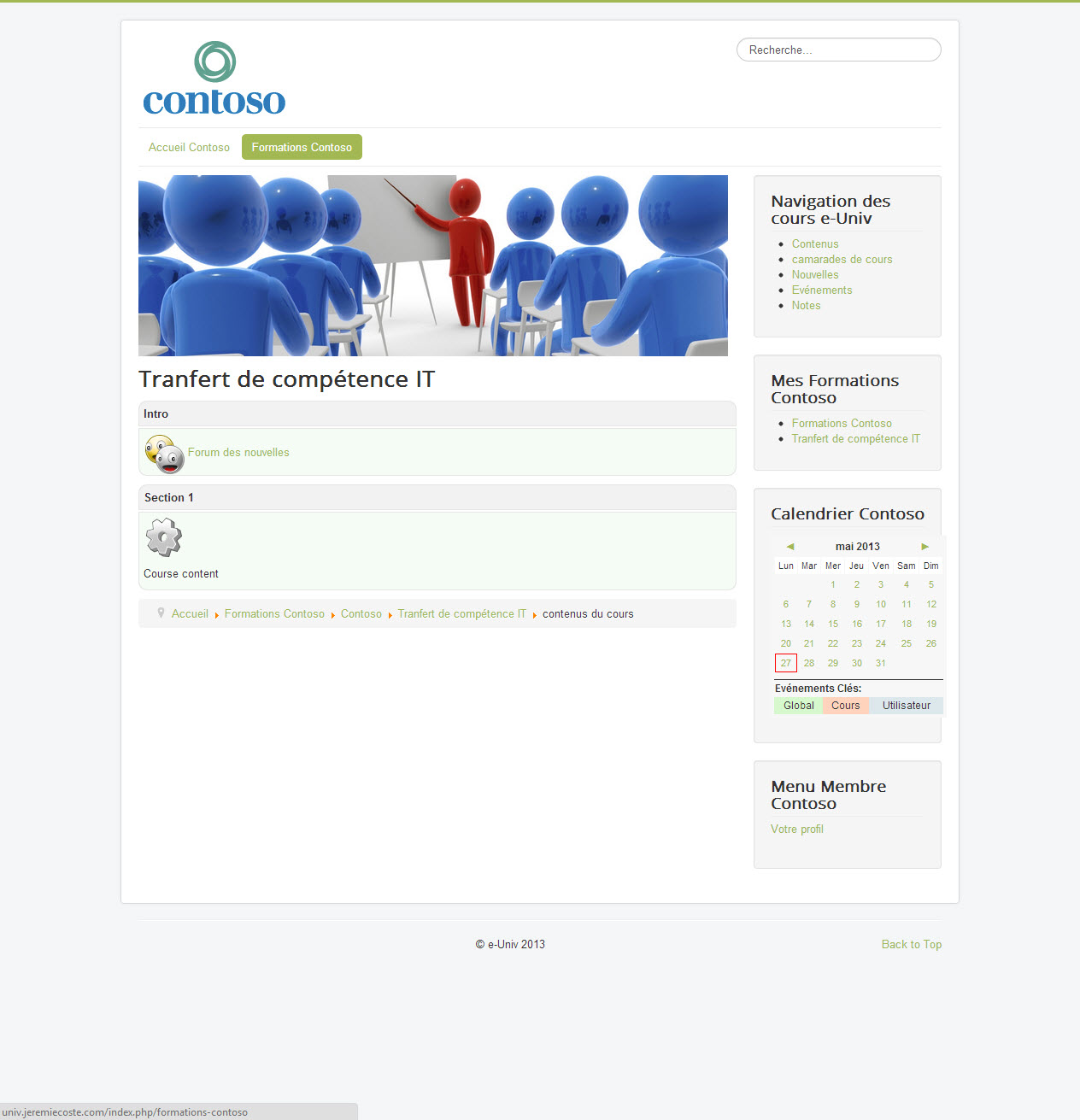
At this time every thing is fine. Joomla provide enough configuration to isolate content. Even they can browse the course view Inside their own branding:
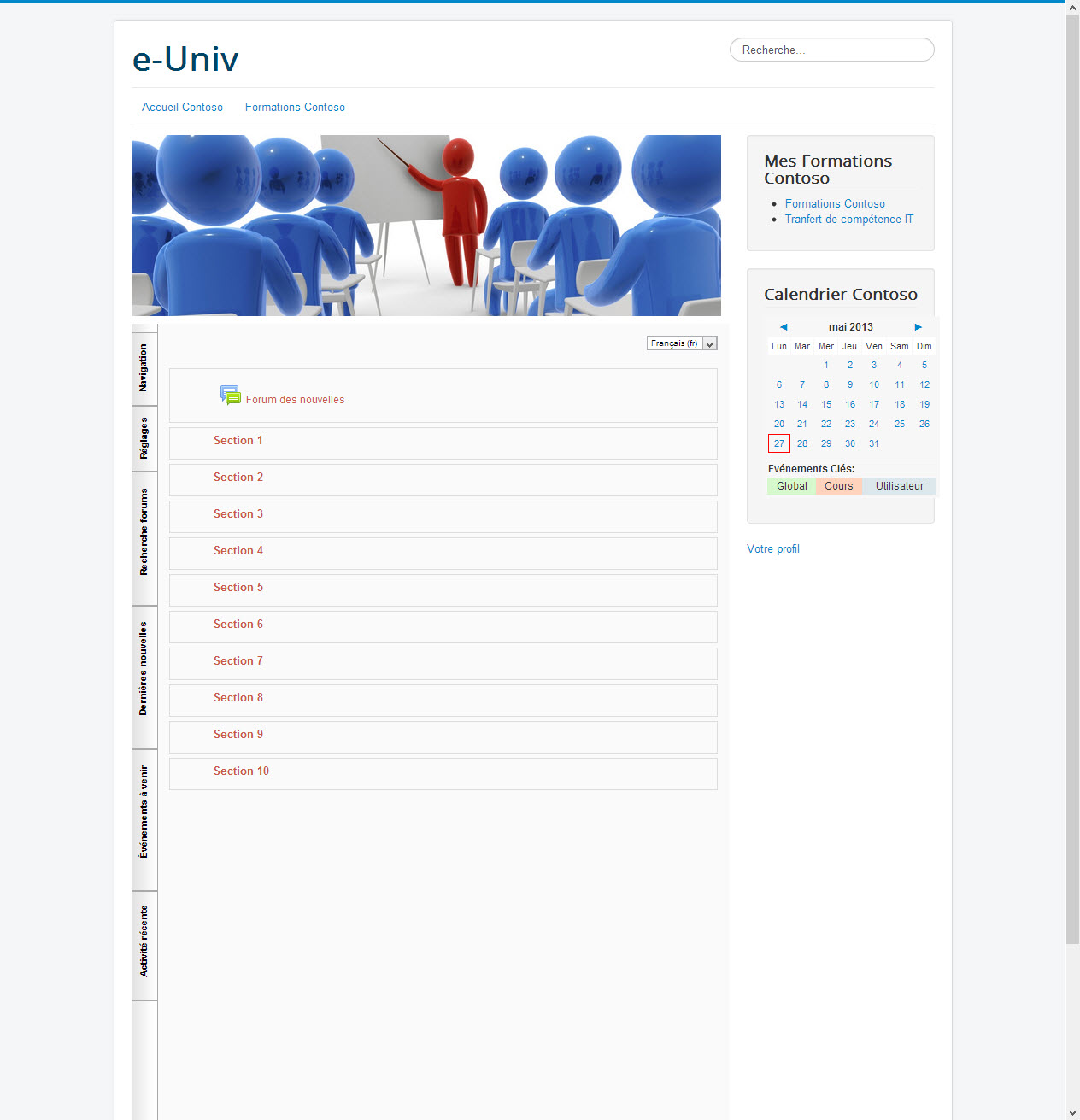
But when they want to access the course content through the joomdle wrapper the branding is a mix between my portal branding (e-Univ) and there branding (contoso trainsing site) :
Is that scenario could become a reality in futur realease of joomdle ?
May be in a paid realease ?
Thanks for your answer,
Regards
Jérémie
Is there a way to configure joomdle to show courses at a specific place in Joomla?
The aim is to provide specific user experience for several corporate Customers.
User from my Contoso corporate customer use my e-Univ portal and they have a dedicated place where they can access their own contents and courses through a link:
They access their own content and their courses through joomdle mdules in there own gui branding:
At this time every thing is fine. Joomla provide enough configuration to isolate content. Even they can browse the course view Inside their own branding:
But when they want to access the course content through the joomdle wrapper the branding is a mix between my portal branding (e-Univ) and there branding (contoso trainsing site) :
Is that scenario could become a reality in futur realease of joomdle ?
May be in a paid realease ?
Thanks for your answer,
Regards
Jérémie
Last edit: 11 years 5 months ago by Antonio Durán.
The topic has been locked.
- Antonio Durán
-

- Offline
- Moderator
-

Less
More
- Posts: 7954
13 years 4 months ago #2
by Antonio Durán
Replied by Antonio Durán on topic Wish have to set the page where courses should be view
I don't fully undertand your setup, so I am not sure how it could work.
If you are interested in sponsoring this development, please write to development@joomdle.com and we'll study if it is possible.
If you are interested in sponsoring this development, please write to development@joomdle.com and we'll study if it is possible.
The topic has been locked.
- Jérémie
- Topic Author
- Offline
- Junior Member
-
Less
More
- Posts: 23
13 years 4 months ago #3
by Jérémie
Replied by Jérémie on topic Wish have to set the page where courses should be view
Hi Antonio,
Well, my English is not good enough in the last post. I will explain my need in a better way through the development@joomdle.com
Thx
Well, my English is not good enough in the last post. I will explain my need in a better way through the development@joomdle.com
Thx
The topic has been locked.
- Chris
-

- Offline
- Moderator
-
13 years 4 months ago #4
by Chris
Replied by Chris on topic Wish have to set the page where courses should be view
I think I understand what you are looking for, let me see if I follow:
You have one website where you want many different customers to visit and use the courses. Each customer would have their own look and feel to match their own branding.
I will assume the following:
- one domain (your website domain)
- one joomla running to cater for all users
- one moodle running to hold all the courses
What is possible:
- for each menu item you can define a different look and feel via your joomla template
- for each person in a given company, you could give them a specific company subscription which defines which menus, thus which company menu, they can see. You could also use Joomla groups for this, but i think a subscription system would be easier and more functional that you could tie to payment and expiry dates.
What is not possible:
- different domains
- different user lists ie they share all the same user registration table. this problem is not a problem
What I do not know
- if you could have different moodle templates (to show a different look) for different groups of students. therefore, assuming you cannot, you could define your moodle tempalte to be very simple and let joomla act as the branding
Let me know if my understanding is correct.
You have one website where you want many different customers to visit and use the courses. Each customer would have their own look and feel to match their own branding.
I will assume the following:
- one domain (your website domain)
- one joomla running to cater for all users
- one moodle running to hold all the courses
What is possible:
- for each menu item you can define a different look and feel via your joomla template
- for each person in a given company, you could give them a specific company subscription which defines which menus, thus which company menu, they can see. You could also use Joomla groups for this, but i think a subscription system would be easier and more functional that you could tie to payment and expiry dates.
What is not possible:
- different domains
- different user lists ie they share all the same user registration table. this problem is not a problem
What I do not know
- if you could have different moodle templates (to show a different look) for different groups of students. therefore, assuming you cannot, you could define your moodle tempalte to be very simple and let joomla act as the branding
Let me know if my understanding is correct.
The topic has been locked.
- Jérémie
- Topic Author
- Offline
- Junior Member
-
Less
More
- Posts: 23
13 years 4 months ago - 13 years 4 months ago #5
by Jérémie
Replied by Jérémie on topic Wish have to set the page where courses should be view
Hi Chris,
This exactly what I need. And the I have configured my Joomla.
You can connect to univ.jeremiecoste.com .
If you connect to this site with the following credentials:
You will see a new top menu at the right: "Site Client Contoso". Click on this menu.
Then you land in the the Contoso training place.
If you click on "Formation Contoso" you will see all courses for this Customer.
But when you click on the button "Allez au cours" (go to crouse), I expect it keep the look of the Customer training place but this is not case.
In fact I have two issues.
1st: the look is the one of my portal e-Univ
2nd: the wrapper show the entire moodle gui, however I use the joomdle theme without nav in moodle conf
Have you any idea ?
thanks for your answer
This exactly what I need. And the I have configured my Joomla.
You can connect to univ.jeremiecoste.com .
If you connect to this site with the following credentials:
You will see a new top menu at the right: "Site Client Contoso". Click on this menu.
Then you land in the the Contoso training place.
If you click on "Formation Contoso" you will see all courses for this Customer.
But when you click on the button "Allez au cours" (go to crouse), I expect it keep the look of the Customer training place but this is not case.
In fact I have two issues.
1st: the look is the one of my portal e-Univ
2nd: the wrapper show the entire moodle gui, however I use the joomdle theme without nav in moodle conf
Have you any idea ?
thanks for your answer
Last edit: 13 years 4 months ago by Jérémie.
The topic has been locked.
- Chris
-
- Offline
- Moderator
-
13 years 4 months ago #6
by Chris
Replied by Chris on topic Wish have to set the page where courses should be view
When you click on Allez au cours, are you opening the course in a wrapper?
Have you configured your Joomdle with a Joomla Menu ID? Perhaps this is different than the menu id that you come from (Site Client Contoso)? You can tell Joomdle what menu id you wish to use when opening the courses using the Joomdle Menu id
With regards to your second problem, I am not sure why you would not get the desired moodle look. Normally, this would suggest that your user belongs to a different role other than student as this template is not for administrators, etc. or it is not configured properly. I do not know moodle so well so really cannot advise too much on why a moodle template is not working well. Perhaps the template is for an earlier version? Either way the reason you see the moodle gui is based on the moodle template
Have you configured your Joomdle with a Joomla Menu ID? Perhaps this is different than the menu id that you come from (Site Client Contoso)? You can tell Joomdle what menu id you wish to use when opening the courses using the Joomdle Menu id
With regards to your second problem, I am not sure why you would not get the desired moodle look. Normally, this would suggest that your user belongs to a different role other than student as this template is not for administrators, etc. or it is not configured properly. I do not know moodle so well so really cannot advise too much on why a moodle template is not working well. Perhaps the template is for an earlier version? Either way the reason you see the moodle gui is based on the moodle template
The topic has been locked.
- Jérémie
- Topic Author
- Offline
- Junior Member
-
Less
More
- Posts: 23
13 years 4 months ago #7
by Jérémie
Replied by Jérémie on topic Wish have to set the page where courses should be view
Thanks Chris for your help,
Yes, when click on goto course, it opening in the wrapper
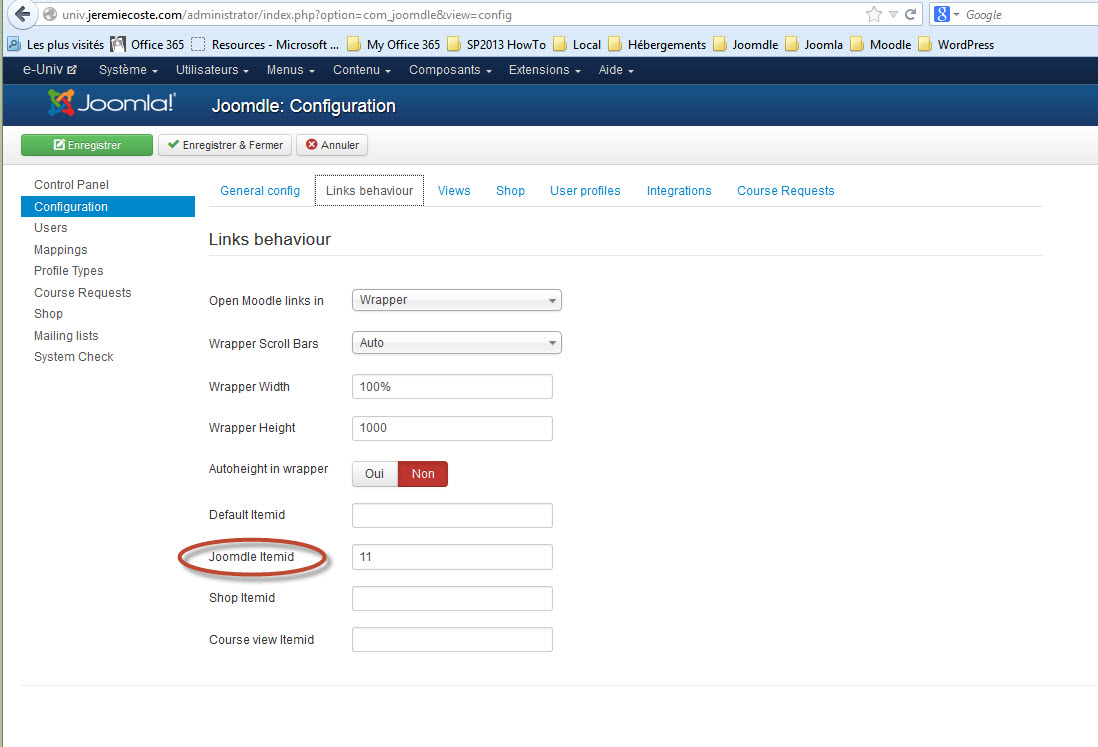
When you say Joomla menu id is it the same as joodmle item ID, as in the screenshot below ?
About the joomdle look in the wrapper I have cheked that the user is only a student. Well I may be you are right the joomdle theme for moodle is for a earlier version.
I have tested it on several install of Joomla 3, Moodle 2.2.4 and joomdle 0.91 and I have the same behavior.
May be I should create a solution with earlier version of Moodle?
Best regards
Yes, when click on goto course, it opening in the wrapper
When you say Joomla menu id is it the same as joodmle item ID, as in the screenshot below ?
About the joomdle look in the wrapper I have cheked that the user is only a student. Well I may be you are right the joomdle theme for moodle is for a earlier version.
I have tested it on several install of Joomla 3, Moodle 2.2.4 and joomdle 0.91 and I have the same behavior.
May be I should create a solution with earlier version of Moodle?
Best regards
The topic has been locked.
- Chris
-
- Offline
- Moderator
-
13 years 4 months ago #8
by Chris
Replied by Chris on topic Wish have to set the page where courses should be view
You should be able to log in directly to moodle with that student id. If the navigation is still there then either the template has not been activated for that role or is not compatible with that moodle version. I am sure there are other reasons for a template in moodle not being used, but unfortunately i do not have a great deal of experience on the Moodle side.... This maybe a question for the Moodle forums too since it is directly related to the template - this of course assumes you still see the navigation when logging directly into Moodle.
The topic has been locked.
- Jérémie
- Topic Author
- Offline
- Junior Member
-
Less
More
- Posts: 23
13 years 4 months ago - 13 years 4 months ago #9
by Jérémie
Replied by Jérémie on topic Wish have to set the page where courses should be view
Hi Chris,
I have tested the joomdle moddle Template on new moddle 2.2.1 moodle install it is the same behavior with nav bar that is still there. That mean I do somthing wrong when I install the joomdle theme for Moodle
I investigate....
I have tested the joomdle moddle Template on new moddle 2.2.1 moodle install it is the same behavior with nav bar that is still there. That mean I do somthing wrong when I install the joomdle theme for Moodle
I investigate....
Last edit: 13 years 4 months ago by Jérémie.
The topic has been locked.
- Chris
-
- Offline
- Moderator
-
13 years 4 months ago #10
by Chris
Replied by Chris on topic Wish have to set the page where courses should be view
What happens when you log in directly to moodle. Do you still see the navigation?
The topic has been locked.