
- Posts: 14
Joomdle 1.0 Installation
Invalid Token Error!
- fmbright
-
 Topic Author
- Offline
- New Member
-

Less
More
10 years 4 days ago #1
by fmbright
Invalid Token Error! was created by fmbright
Hi,
I recently updated Joomla and Moodle to version 3.6 and 3.12. I am getting the XML Error saying Invalid token. I have reinstalled the Joomdle cleint and even started with a fresh copy of Moodle and am getting the error.
I tried the PHP script to read the file content of Moodle and this works.
I recreated the token several times on Moodle and still get the error when updating Joomla.
What else would I need to try to do?
Thanks
Frank
I recently updated Joomla and Moodle to version 3.6 and 3.12. I am getting the XML Error saying Invalid token. I have reinstalled the Joomdle cleint and even started with a fresh copy of Moodle and am getting the error.
I tried the PHP script to read the file content of Moodle and this works.
I recreated the token several times on Moodle and still get the error when updating Joomla.
What else would I need to try to do?
Thanks
Frank
Please Log in or Create an account to join the conversation.
- Antonio Durán
-

- Offline
- Moderator
-

Less
More
- Posts: 7954
10 years 2 days ago #2
by Antonio Durán
Replied by Antonio Durán on topic Invalid Token Error!
Hi.
What's the exact message in system check? It seems it may be about Joomla token, instead of Moodle one.
Did you enter Joomla token in Joomdle config in Moodle?
What's the exact message in system check? It seems it may be about Joomla token, instead of Moodle one.
Did you enter Joomla token in Joomdle config in Moodle?
Please Log in or Create an account to join the conversation.
- fmbright
-
Topic Author
- Offline
- New Member
-
Less
More
- Posts: 14
10 years 1 day ago #3
by fmbright
Replied by fmbright on topic Invalid Token Error!
HI Antonio,
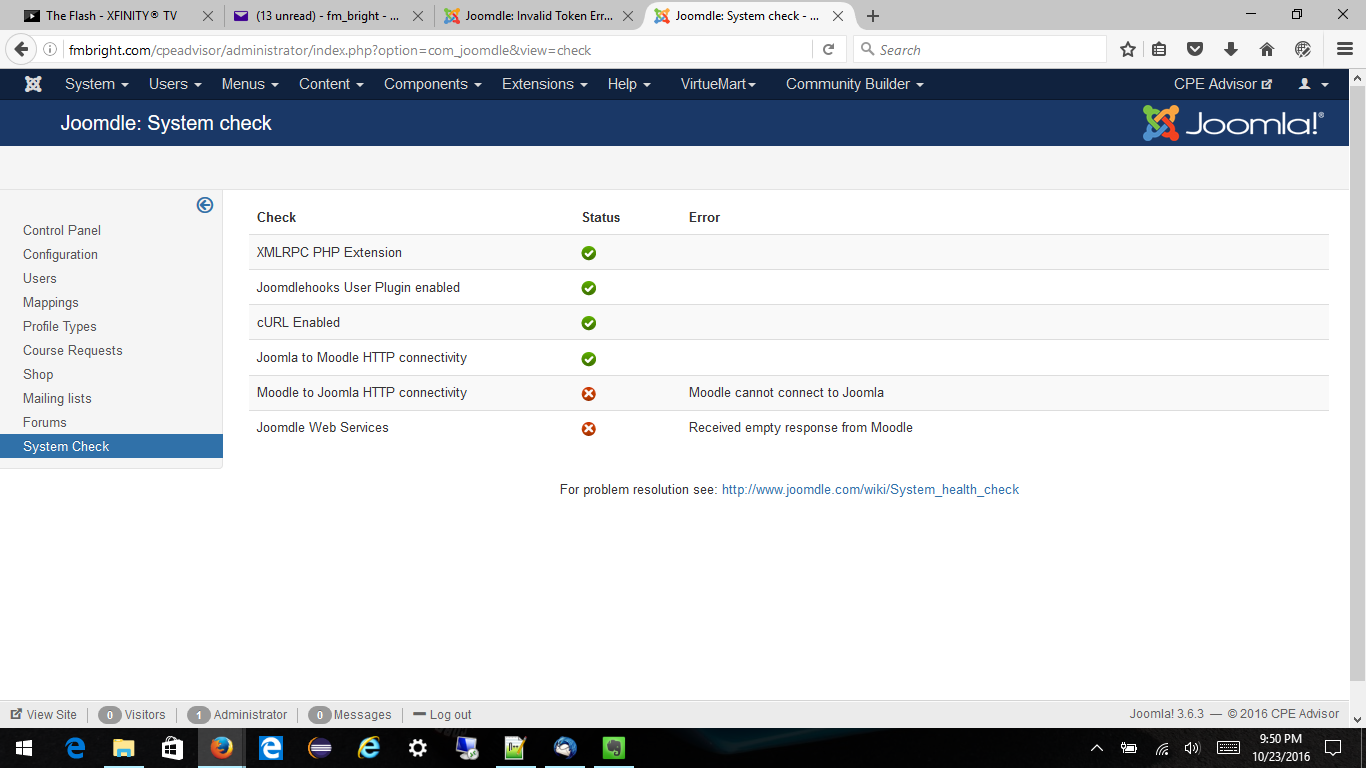
This is a screen shot of the configuration!
Again, thanks for your help!
Frank
This is a screen shot of the configuration!
Again, thanks for your help!
Frank
Please Log in or Create an account to join the conversation.
- Antonio Durán
-
- Offline
- Moderator
-
Less
More
- Posts: 7954
10 years 1 day ago #4
by Antonio Durán
Replied by Antonio Durán on topic Invalid Token Error!
Your current error is not related to tokens: Empty reply is received from Moodle. This can be caused by different things, like firewalls, and other security measures, incorrect config in Moodle. etc.
Please Log in or Create an account to join the conversation.
- fmbright
-
Topic Author
- Offline
- New Member
-
Less
More
- Posts: 14
10 years 1 day ago #5
by fmbright
Replied by fmbright on topic Invalid Token Error!
Well,
Can you see what is amiss with the Moodle Configuration?
Frank
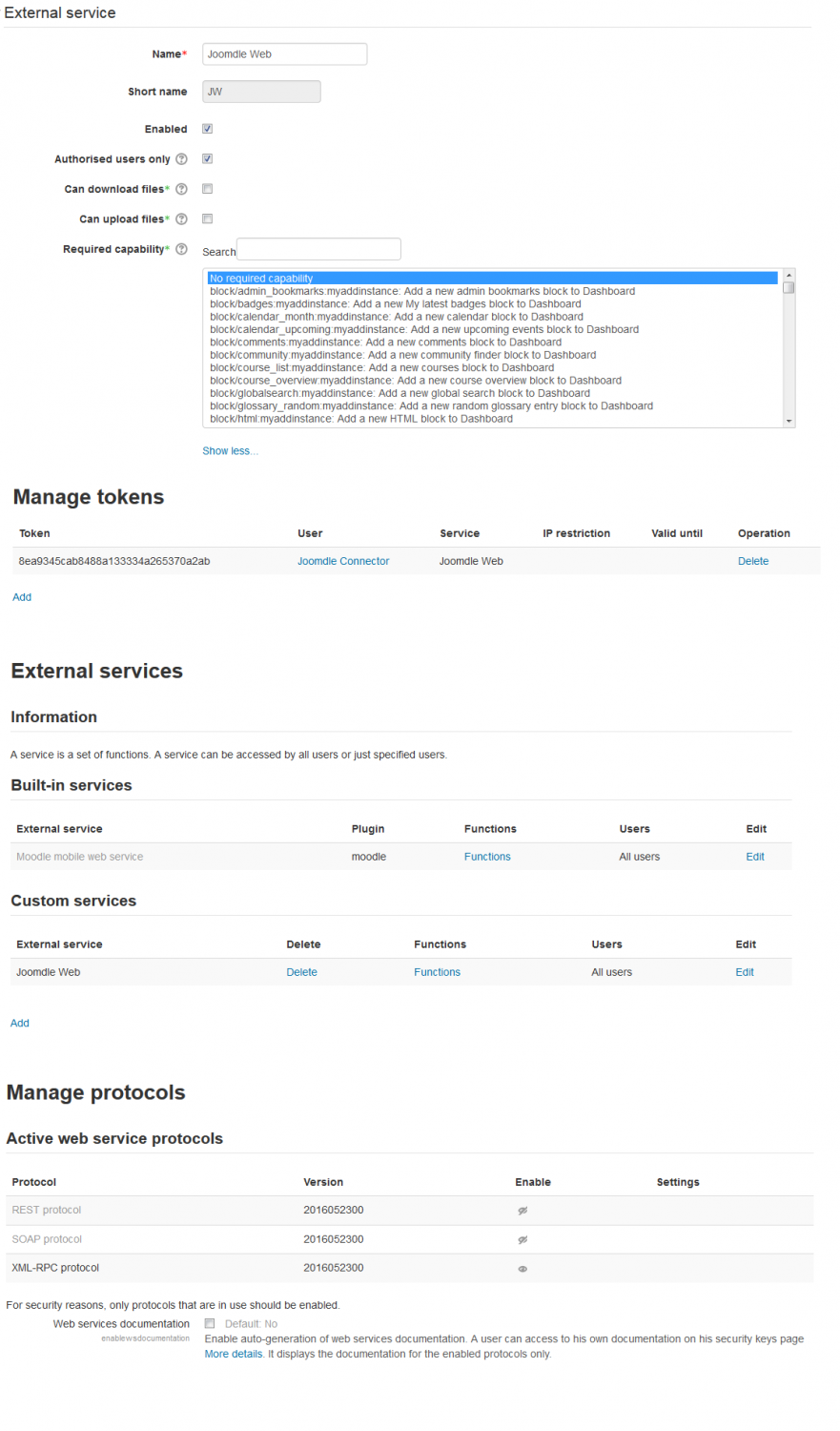
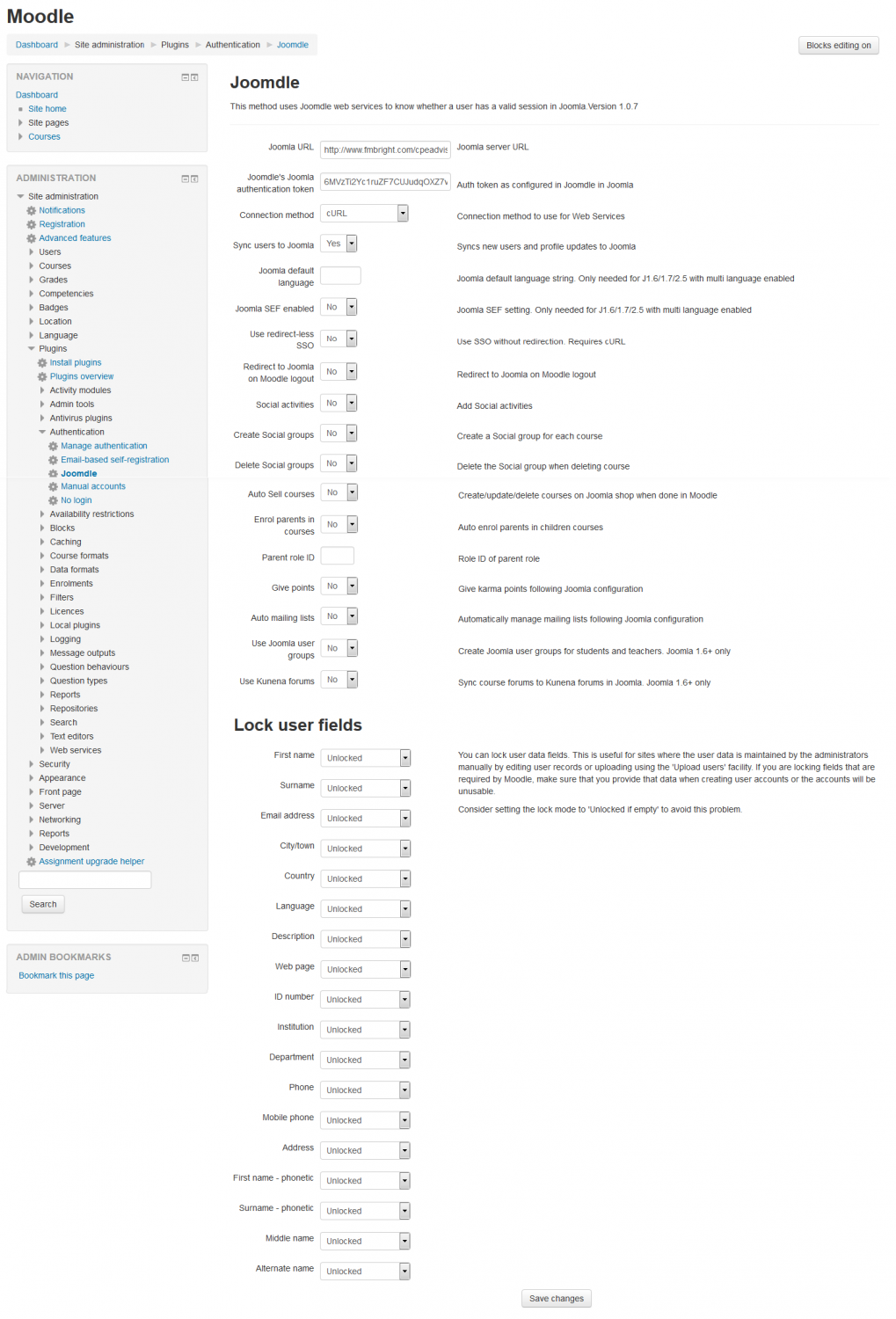
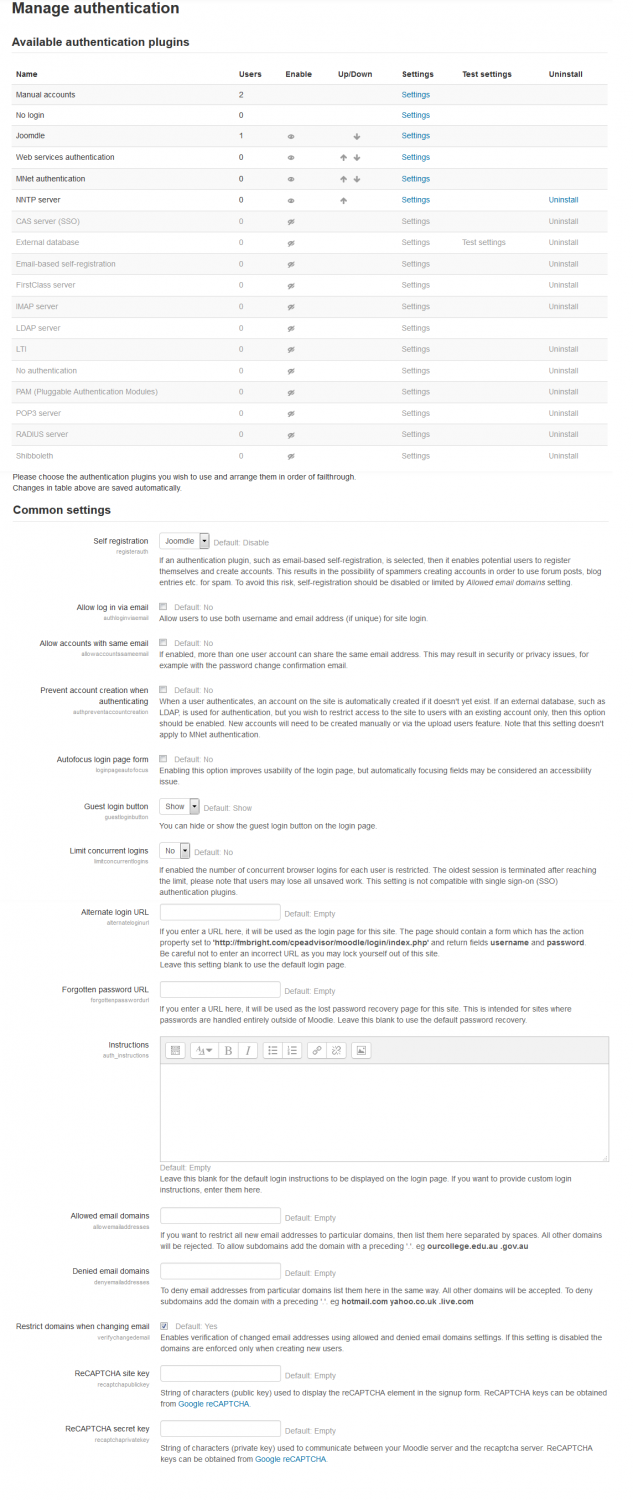
Can you see what is amiss with the Moodle Configuration?
Frank
Please Log in or Create an account to join the conversation.
- Antonio Durán
-
- Offline
- Moderator
-
Less
More
- Posts: 7954
10 years 13 hours ago #6
by Antonio Durán
Replied by Antonio Durán on topic Invalid Token Error!
I don't know why it is not working.
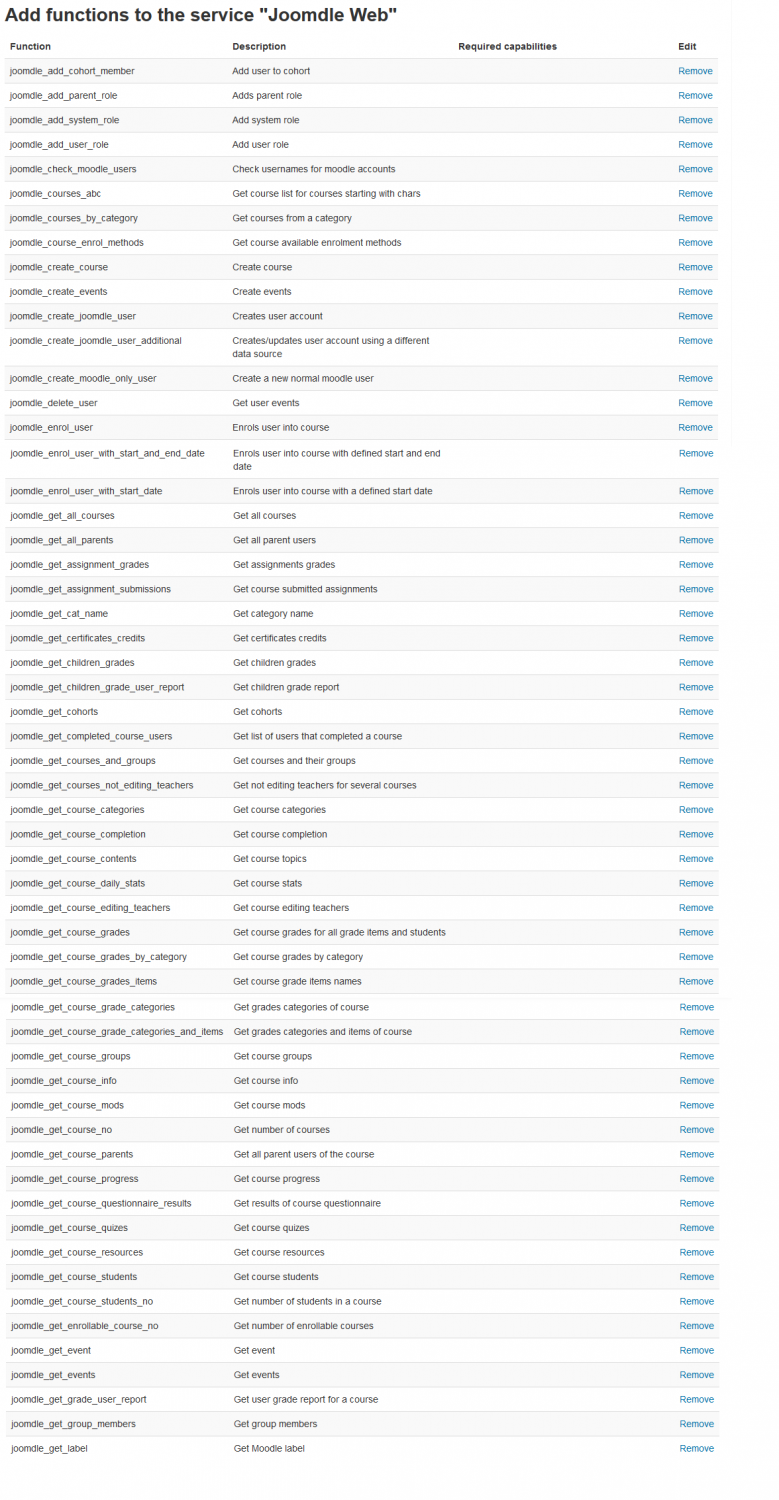
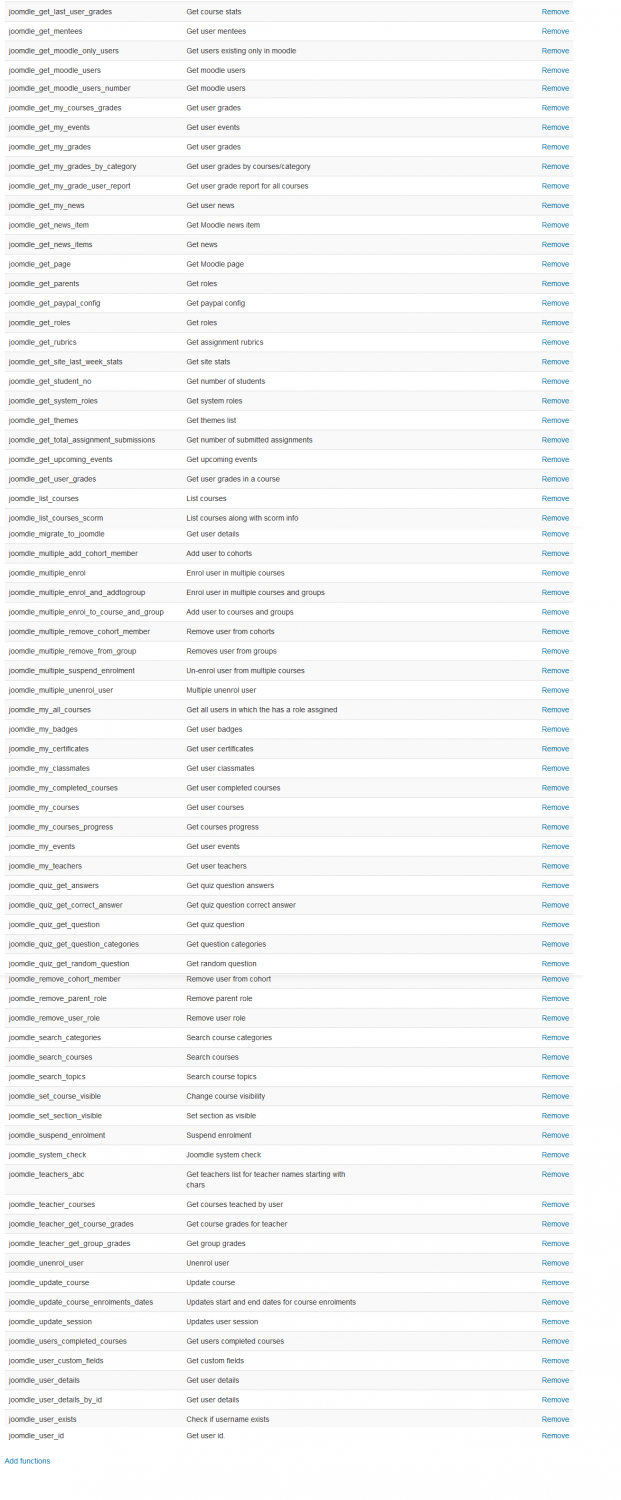
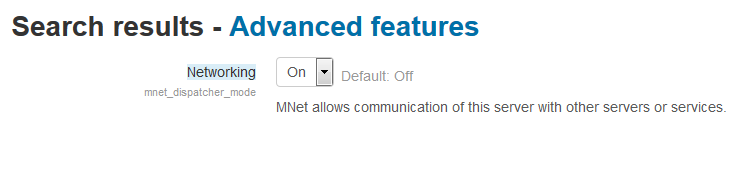
Check that networking is enabled, and that functions are correctly added....
Check that networking is enabled, and that functions are correctly added....
Please Log in or Create an account to join the conversation.
- fmbright
-
Topic Author
- Offline
- New Member
-
Less
More
- Posts: 14
9 years 11 months ago #7
by fmbright
Replied by fmbright on topic Invalid Token Error!
Antonio,
Here is the list of functions and a screen shot of the networking status!
Frank
Here is the list of functions and a screen shot of the networking status!
Frank
Please Log in or Create an account to join the conversation.
- Antonio Durán
-
- Offline
- Moderator
-
Less
More
- Posts: 7954
9 years 11 months ago #8
by Antonio Durán
Replied by Antonio Durán on topic Invalid Token Error!
It all seems ok, so problem is probably with your sepecific server configuration.
I cannot really tell you much else from here, sorry.
I cannot really tell you much else from here, sorry.
Please Log in or Create an account to join the conversation.
- fmbright
-
Topic Author
- Offline
- New Member
-
Less
More
- Posts: 14
9 years 11 months ago #9
by fmbright
Replied by fmbright on topic Invalid Token Error!
Antonio,
Things are good. I found a post that says to check the $CFG->wwwroot setting in the Moodle config file. I added www. to the url and all seems to work. I got full green lights on the check and it now shows the users on Joomla and Moodle in the Joomdle User view.
Thanks, all seem well!
Frank
Things are good. I found a post that says to check the $CFG->wwwroot setting in the Moodle config file. I added www. to the url and all seems to work. I got full green lights on the check and it now shows the users on Joomla and Moodle in the Joomdle User view.
Thanks, all seem well!
Frank
Please Log in or Create an account to join the conversation.
- Antonio Durán
-
- Offline
- Moderator
-
Less
More
- Posts: 7954
9 years 11 months ago #10
by Antonio Durán
Replied by Antonio Durán on topic Invalid Token Error!
Great to know that it is working. Thanks for sharing your solution. I will add the tip to the FAQ.
Please Log in or Create an account to join the conversation.