
- Posts: 9
R0.24 No Longer Supported
Installation problems and error 500
- ralphrenierkens
- Topic Author
- Offline
- New Member
-

Less
More
16 years 3 months ago #1
by ralphrenierkens
Installation problems and error 500 was created by ralphrenierkens
Hi there,
I had joomdle perfectly running on my webserver. Now i did a fresh joomla installation on another host (v 1.5.18) and wanted to installing joomdle 0.24. After installing, the only message i get is a blank screen. When look in the components menu Joomdle is there.
I'm not able to go into Configurations, users or systemcheck. I reaceive a "View not found [name, type, prefix]: config,html,joomdleView" error.
In the attachment you will see a capture of the error screen.
Please HELP.
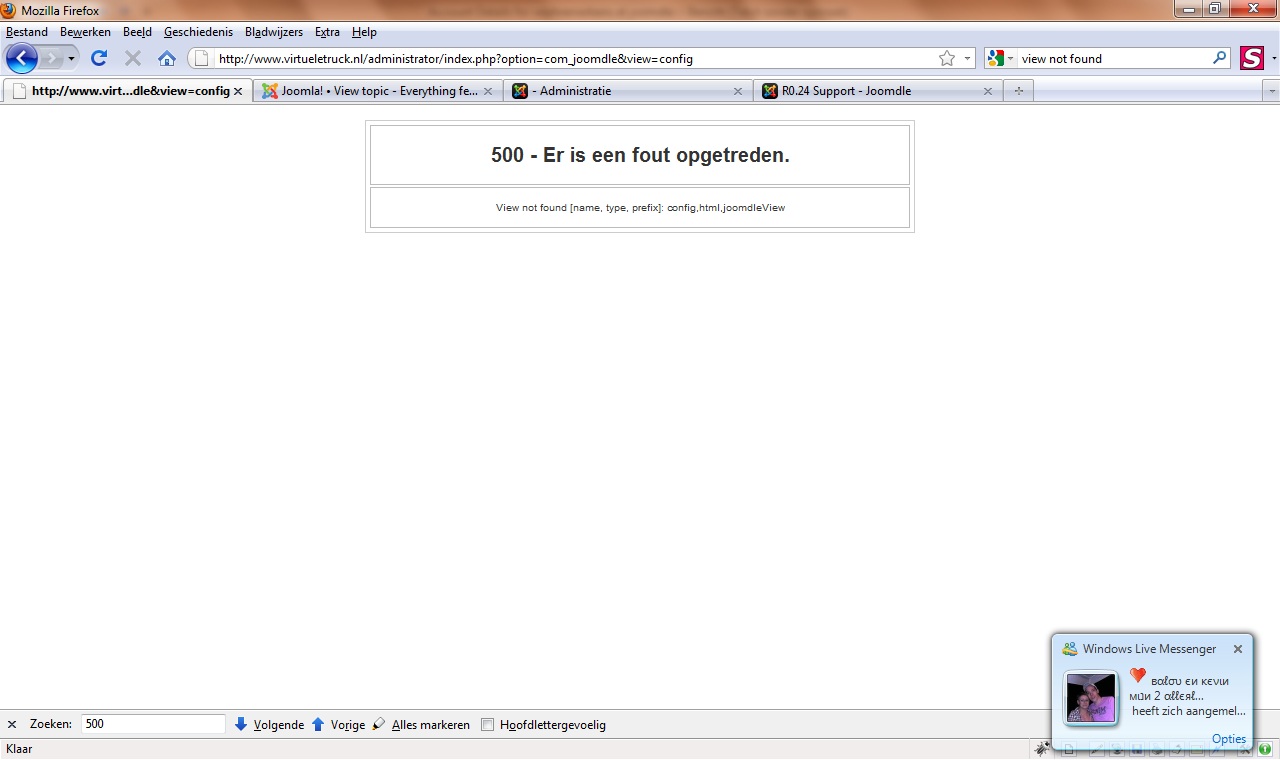
I had joomdle perfectly running on my webserver. Now i did a fresh joomla installation on another host (v 1.5.18) and wanted to installing joomdle 0.24. After installing, the only message i get is a blank screen. When look in the components menu Joomdle is there.
I'm not able to go into Configurations, users or systemcheck. I reaceive a "View not found [name, type, prefix]: config,html,joomdleView" error.
In the attachment you will see a capture of the error screen.
Please HELP.
Please Log in or Create an account to join the conversation.
- Antonio Durán
-

- Offline
- Moderator
-

Less
More
- Posts: 7954
16 years 3 months ago #2
by Antonio Durán
Replied by Antonio Durán on topic Re: Installation problems and error 500
Very strange. Yo say you cannot enter to some joomdle sections, but are others working? Do you see the joomdle panel?
Are you sure Joomdle installed correctly? Check that components/administrator/com_joomdle/views has the needed folders (users, config...)
Did you try unistalling and reinstalling again?
Are you sure Joomdle installed correctly? Check that components/administrator/com_joomdle/views has the needed folders (users, config...)
Did you try unistalling and reinstalling again?
Please Log in or Create an account to join the conversation.
- ralphrenierkens
- Topic Author
- Offline
- New Member
-
Less
More
- Posts: 9
16 years 3 months ago #3
by ralphrenierkens
Replied by ralphrenierkens on topic Re: Installation problems and error 500
Yes all folders are in the folder. I checked that with the folders on another host. I have uninstalled en installed several times. Folder and file permissions are oke.
I'm stuck a little right now
I'm stuck a little right now
Please Log in or Create an account to join the conversation.
- Antonio Durán
-
- Offline
- Moderator
-
Less
More
- Posts: 7954
16 years 3 months ago #4
by Antonio Durán
Replied by Antonio Durán on topic Re: Installation problems and error 500
I said: You say you cannot enter to some joomdle sections, but are others working? Do you see the joomdle panel?
Please Log in or Create an account to join the conversation.
- ralphrenierkens
- Topic Author
- Offline
- New Member
-
Less
More
- Posts: 9
16 years 3 months ago #5
by ralphrenierkens
Replied by ralphrenierkens on topic Re: Installation problems and error 500
I'm sorry i don't speak english very well. Yes i see virtuemart settings en i can open the configuration settings. Joomdle is existing in the components panel.
I am now trying to downgrade to version 0.23. When registering a new user in joomla i get a blank screen. Same occurs when placing the course module on the frontpage.
Something is really wrong.
The only difference between both hosts ( the one that work perfectly and the ons where problem occurs) is the version of PHP.
I am now trying to downgrade to version 0.23. When registering a new user in joomla i get a blank screen. Same occurs when placing the course module on the frontpage.
Something is really wrong.
The only difference between both hosts ( the one that work perfectly and the ons where problem occurs) is the version of PHP.
Please Log in or Create an account to join the conversation.
- Antonio Durán
-
- Offline
- Moderator
-
Less
More
- Posts: 7954
16 years 3 months ago #6
by Antonio Durán
Replied by Antonio Durán on topic Re: Installation problems and error 500
Which PHP version is the one that is not working?
Please Log in or Create an account to join the conversation.
- ralphrenierkens
- Topic Author
- Offline
- New Member
-
Less
More
- Posts: 9
16 years 3 months ago #7
by ralphrenierkens
Replied by ralphrenierkens on topic Re: Installation problems and error 500
version: 5.2.10
Please Log in or Create an account to join the conversation.
- Antonio Durán
-
- Offline
- Moderator
-
Less
More
- Posts: 7954
16 years 3 months ago #8
by Antonio Durán
Replied by Antonio Durán on topic Re: Installation problems and error 500
I don't think that should have anything to do as it is pretty new....
Just a guess, but maybe some error is breaking everything in your host.
Check in php info that:
xml-rpc is enabled
allow_url_fopen is on
Just a guess, but maybe some error is breaking everything in your host.
Check in php info that:
xml-rpc is enabled
allow_url_fopen is on
Please Log in or Create an account to join the conversation.
- ralphrenierkens
- Topic Author
- Offline
- New Member
-
Less
More
- Posts: 9
16 years 3 months ago #9
by ralphrenierkens
Replied by ralphrenierkens on topic Re: Installation problems and error 500
That seems to be oke. xml-rpc is activated and allow_url_fopen is on.
Just a guess...when i am migrate moodle and joomla to another host...what do i have to change in the configuration file?? Maybe there are some old settings active.
Just a guess...when i am migrate moodle and joomla to another host...what do i have to change in the configuration file?? Maybe there are some old settings active.
Please Log in or Create an account to join the conversation.
- Antonio Durán
-
- Offline
- Moderator
-
Less
More
- Posts: 7954
16 years 3 months ago #10
by Antonio Durán
Replied by Antonio Durán on topic Re: Installation problems and error 500
Do you mean that you just copied the files and databases to another host?
Please Log in or Create an account to join the conversation.